
Create your ERIX account
Sign up, tell ERIX what kind of business you run, and land in a workspace that is already set up for it.
Tutorial3 minChecked against ERIX on
Before you start
- An email address you can open now, to confirm it.
- Your business name, the way customers know it.
ERIX sets up your first pipeline, your automations and the words in your menus from the kind of business you pick. This takes about three minutes, and you can change everything later.
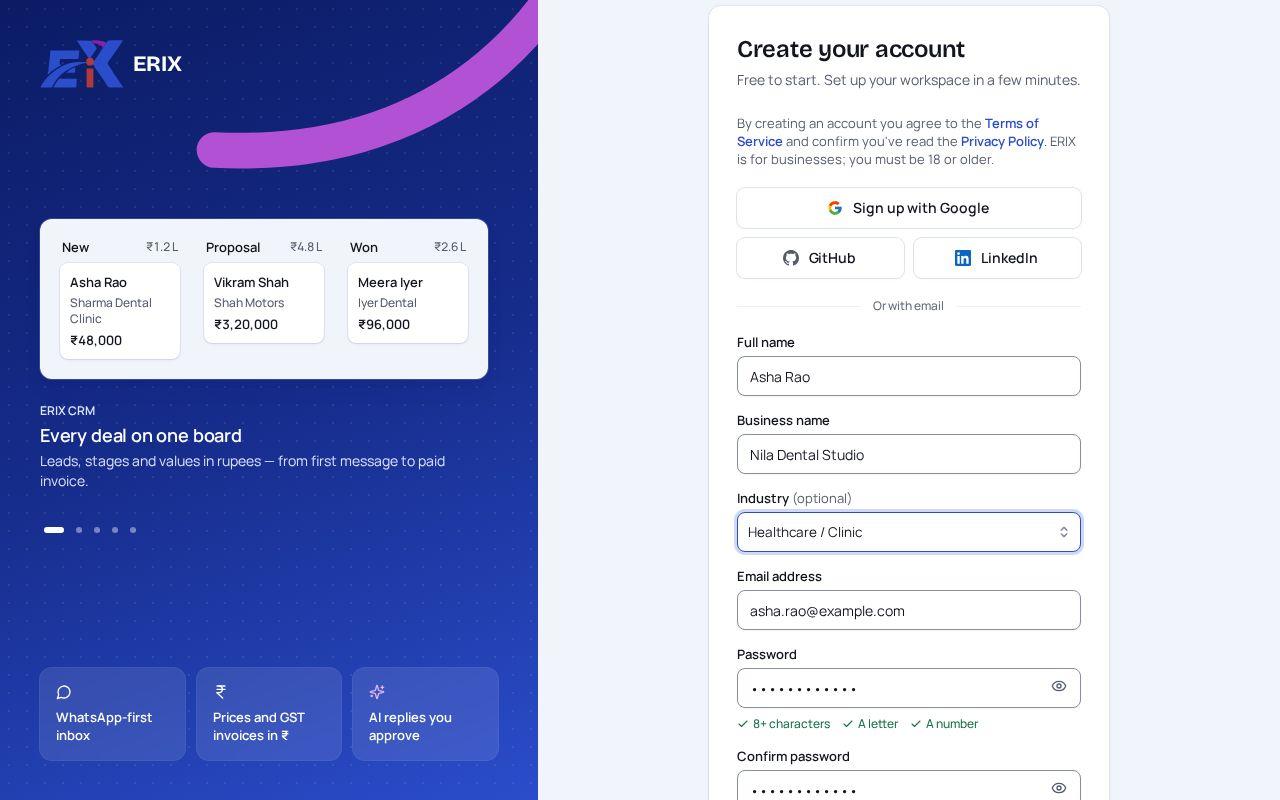
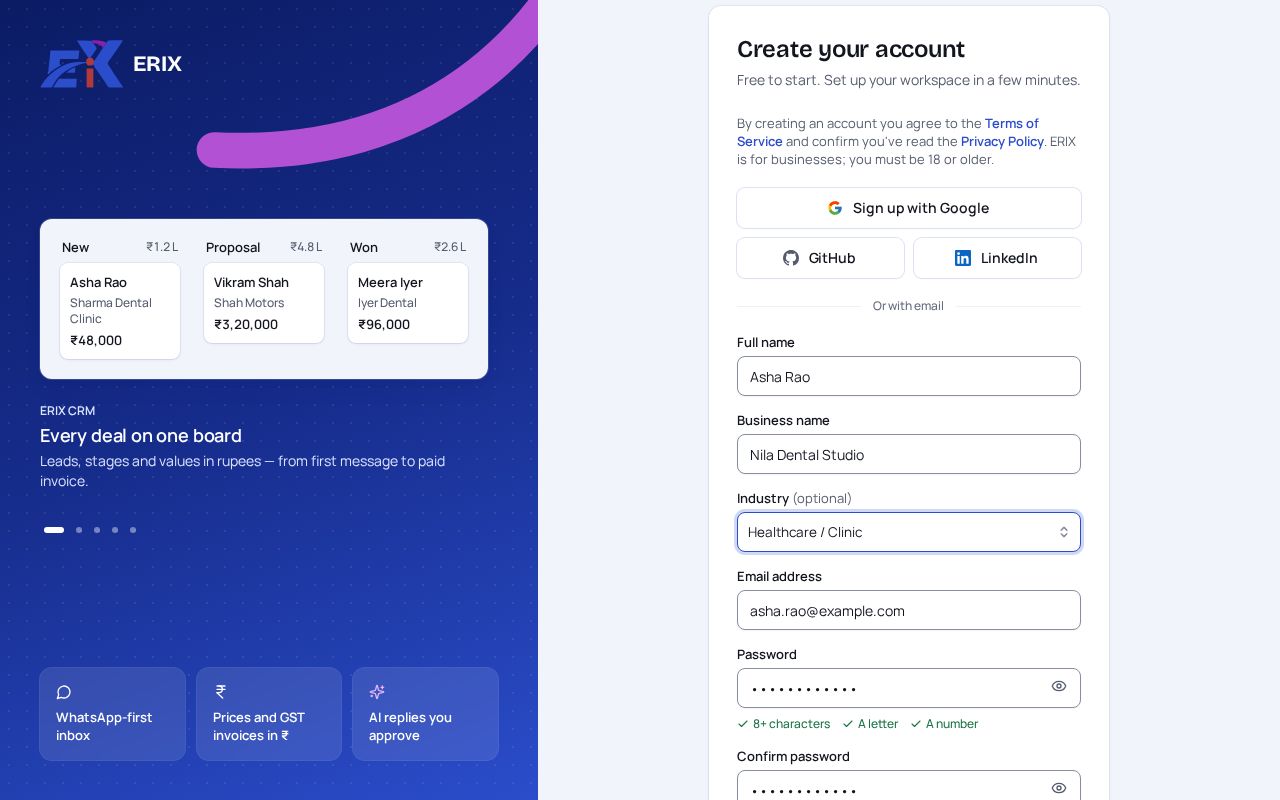
Step 1. Go to console.ecodrix.com/auth/signup. Fill in your Full name, your Business name and, if you like, your Industry. Choose a password with at least 8 characters, a letter and a number, then select Create account.
 (opens the full-size image)
Step 2. Check your inbox for an email from ERIX and open the link in it to confirm your address. You can keep going while you wait for it.
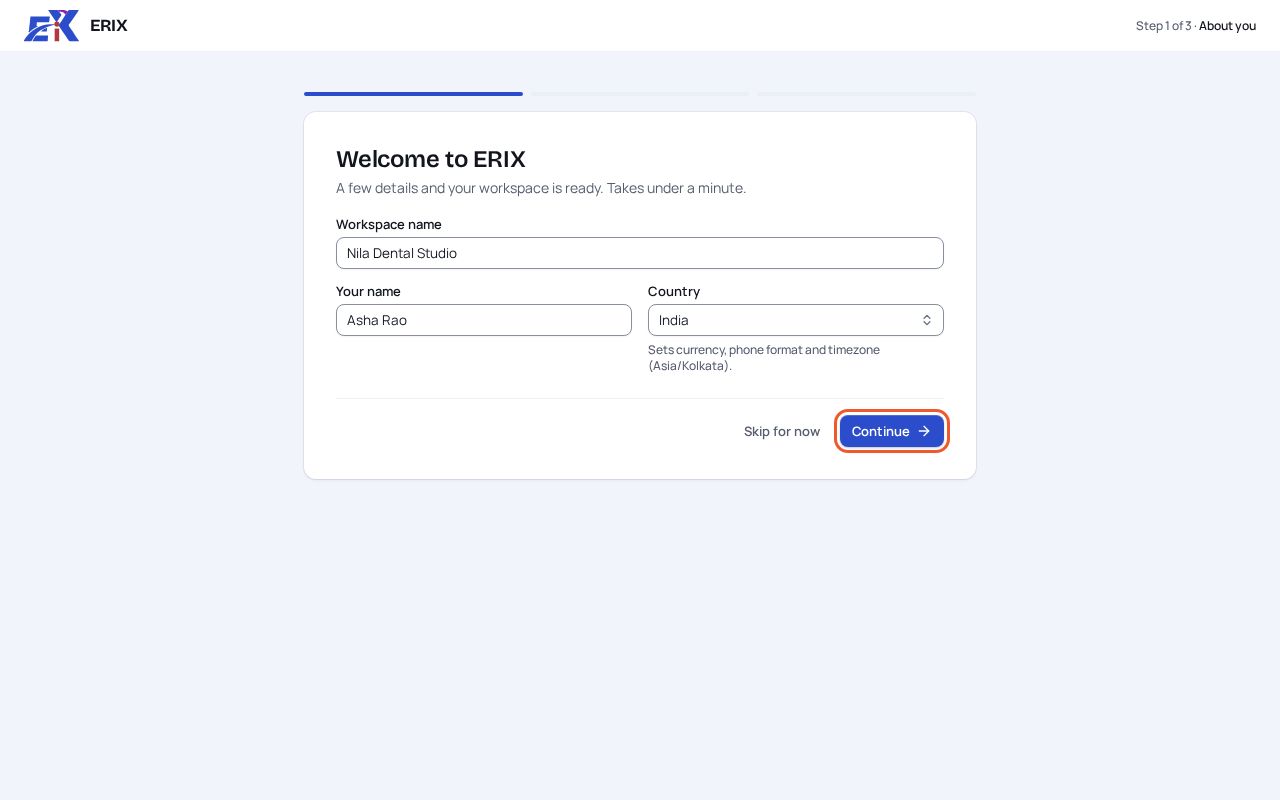
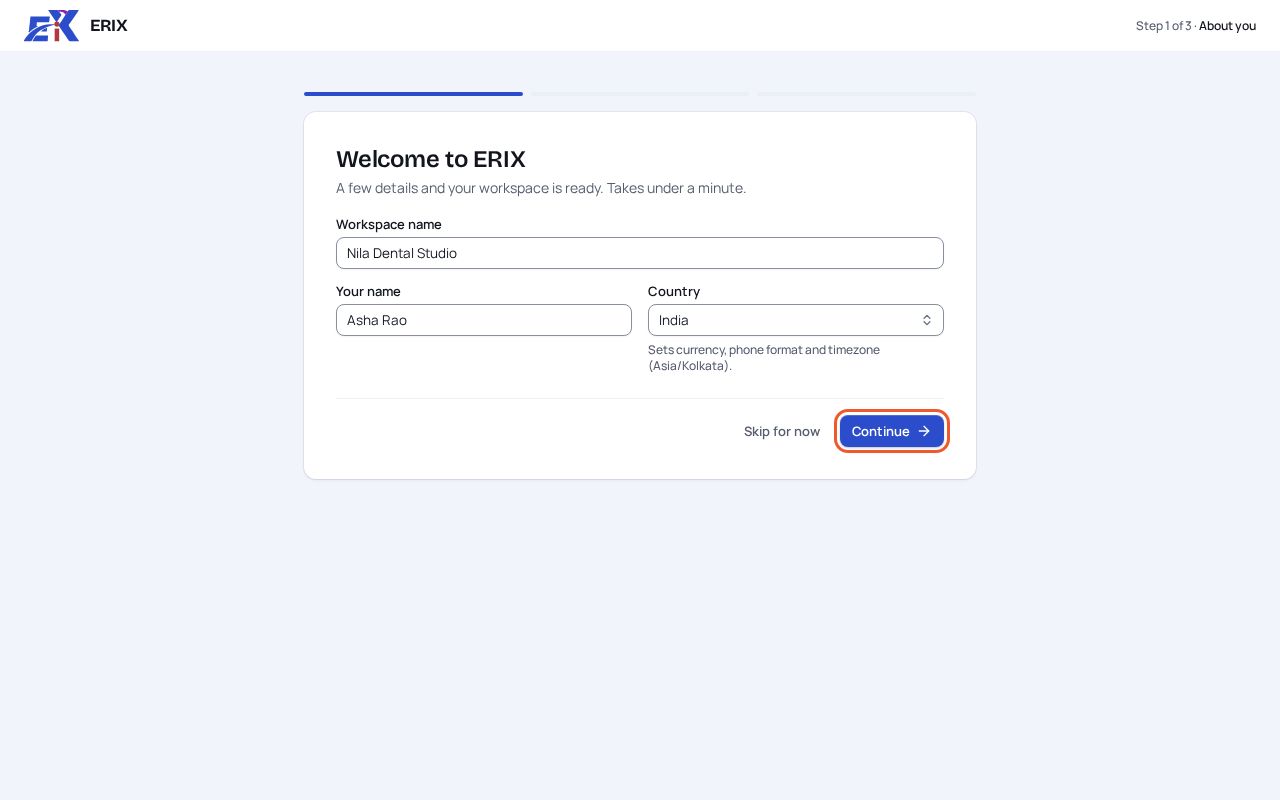
Step 3. On Welcome to ERIX, check your workspace name, your name and your country. The country sets your currency, phone format and time zone. Select Continue.
 (opens the full-size image)
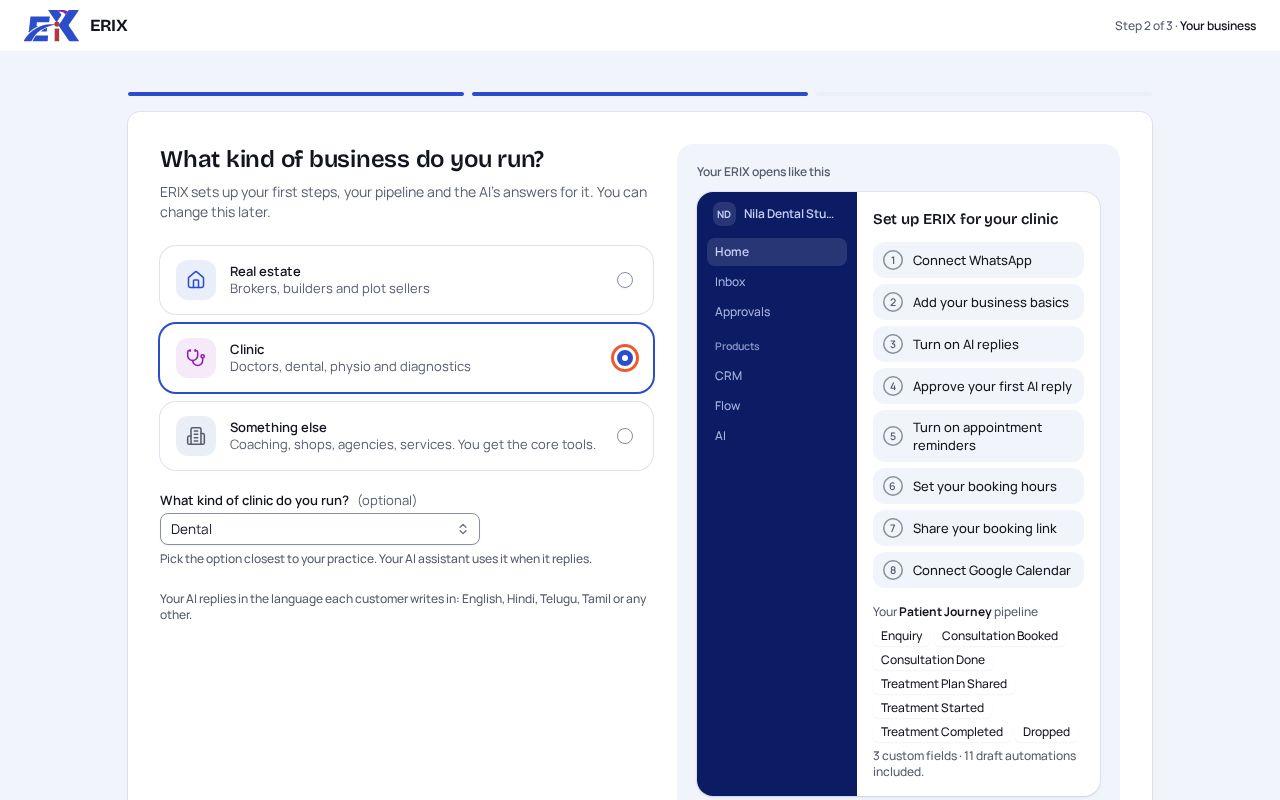
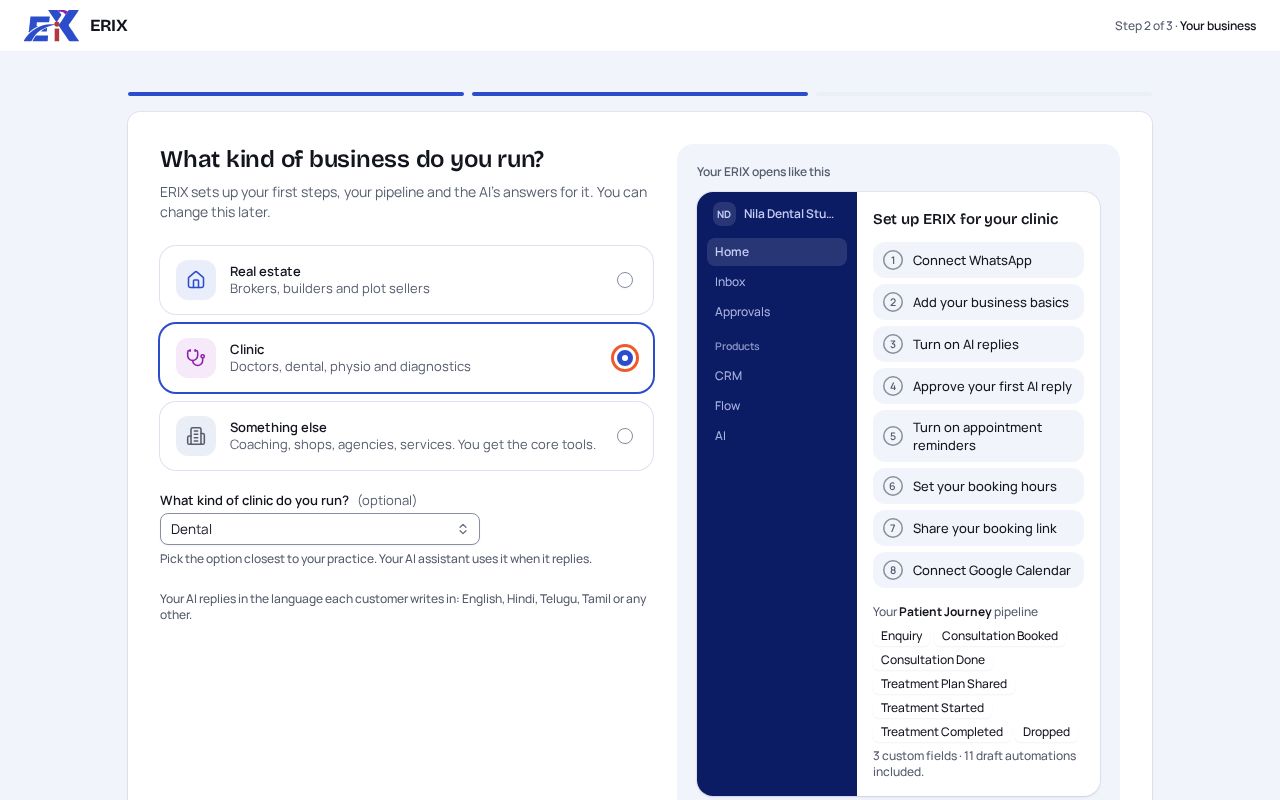
Step 4. Pick what kind of business you run: Real estate, Clinic or Something else. A clinic can also pick the kind of practice, such as Dental. The preview on the right shows the checklist, pipeline and automations you will get. Select Continue.
 (opens the full-size image)
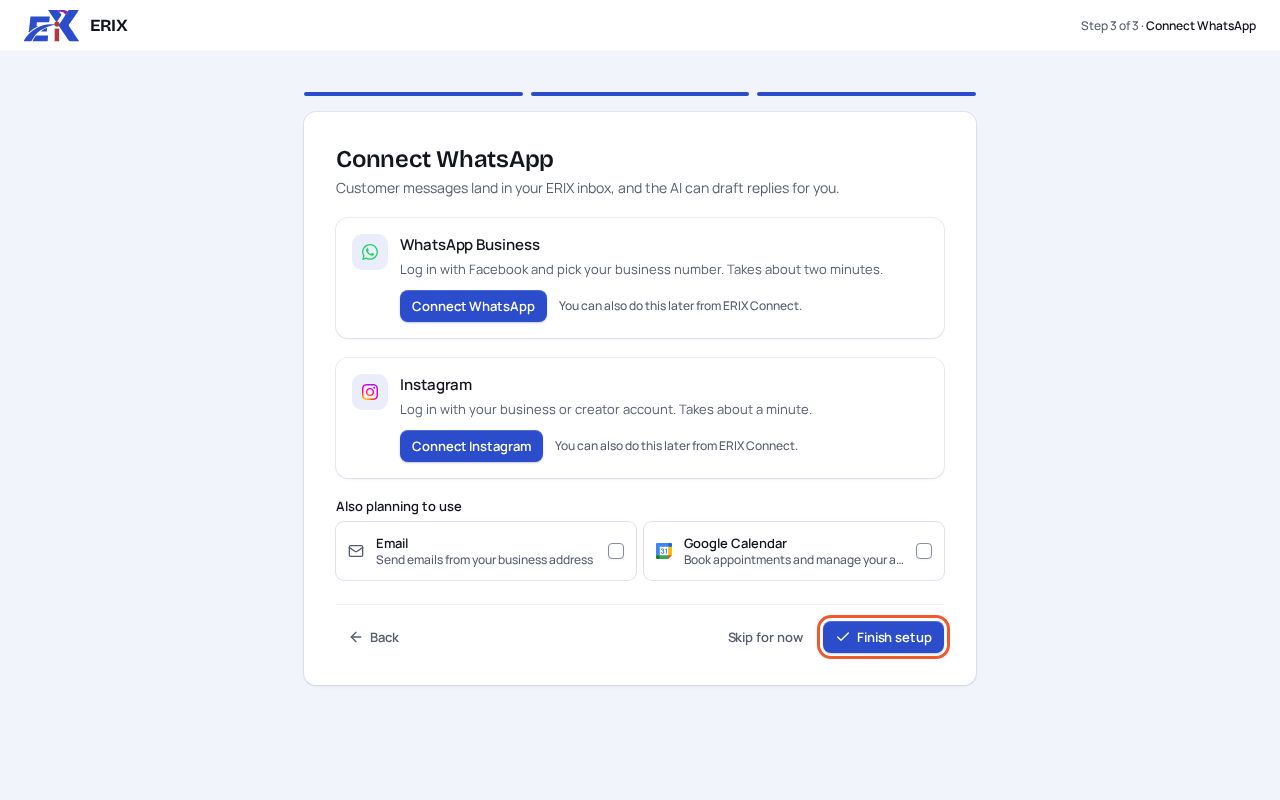
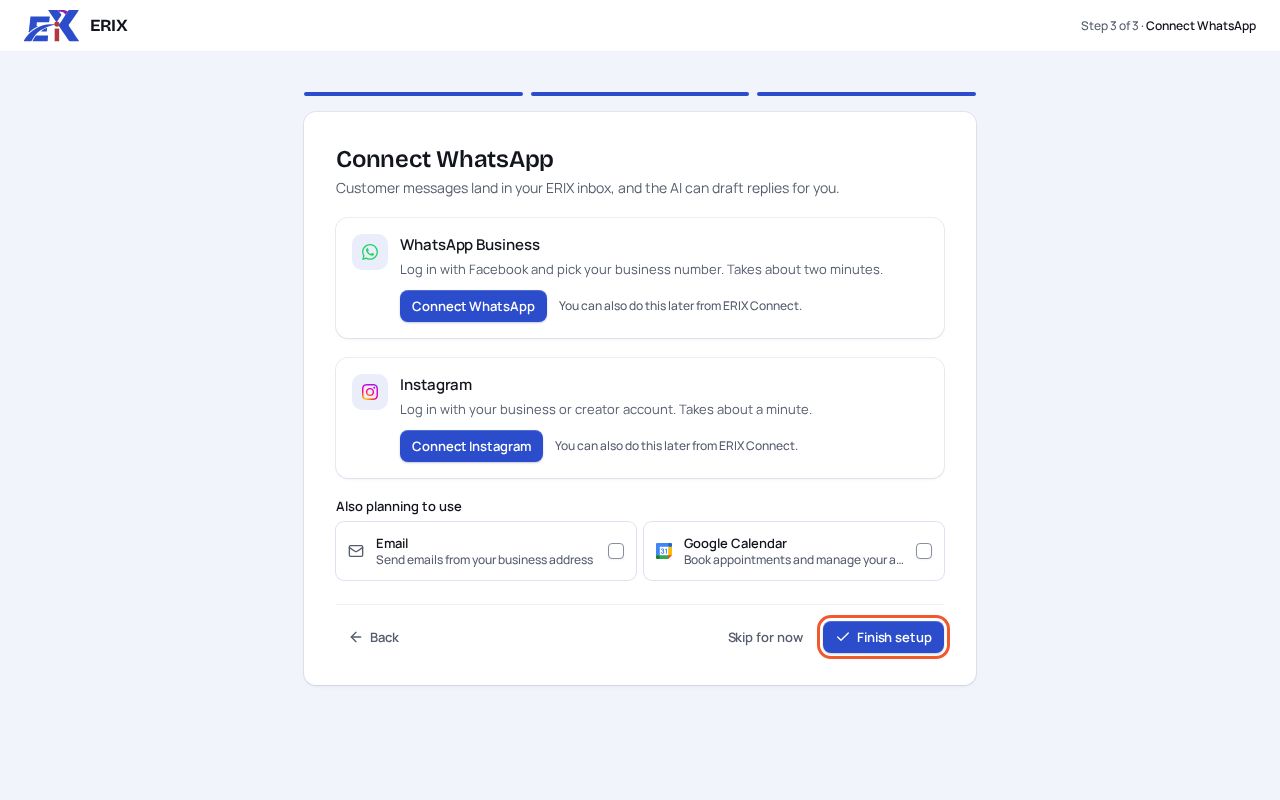
Step 5. Connect WhatsApp or Instagram now, or select Skip for now and do it later from Channels. Then select Finish setup.
 (opens the full-size image)
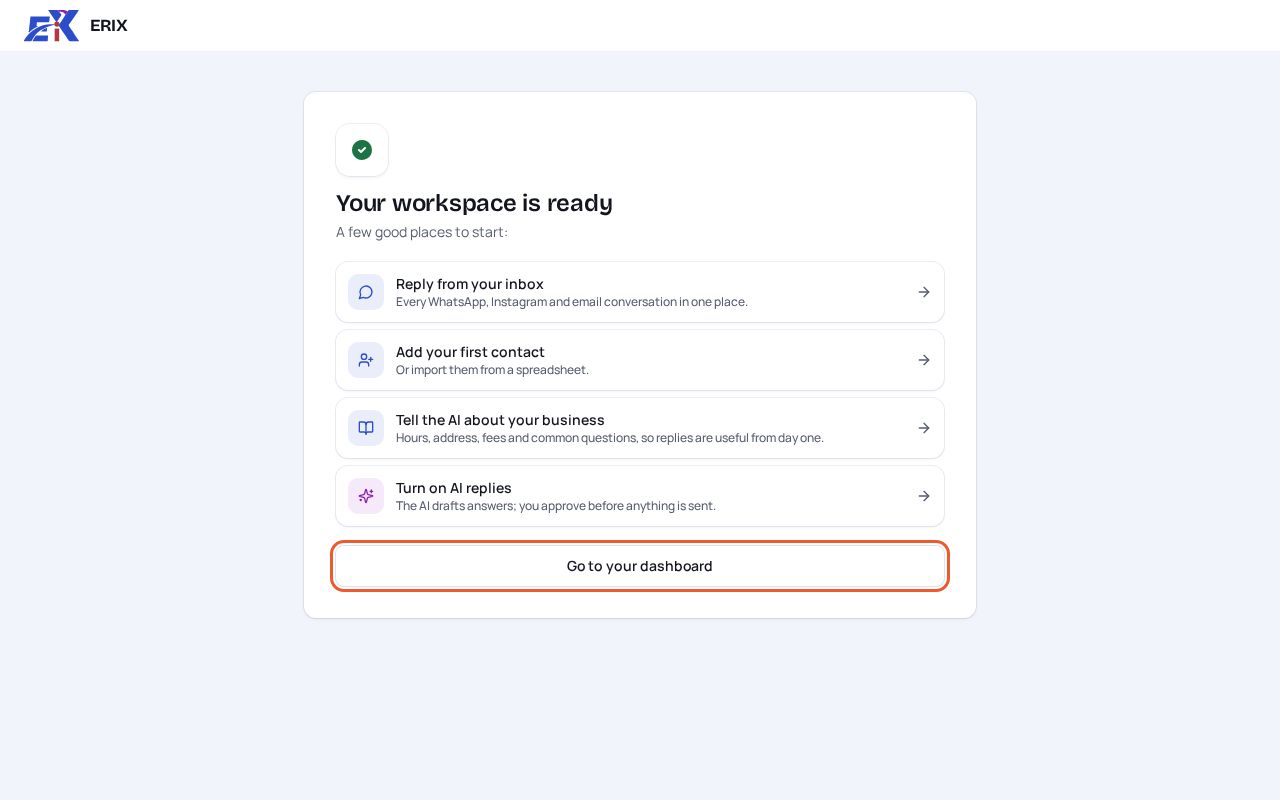
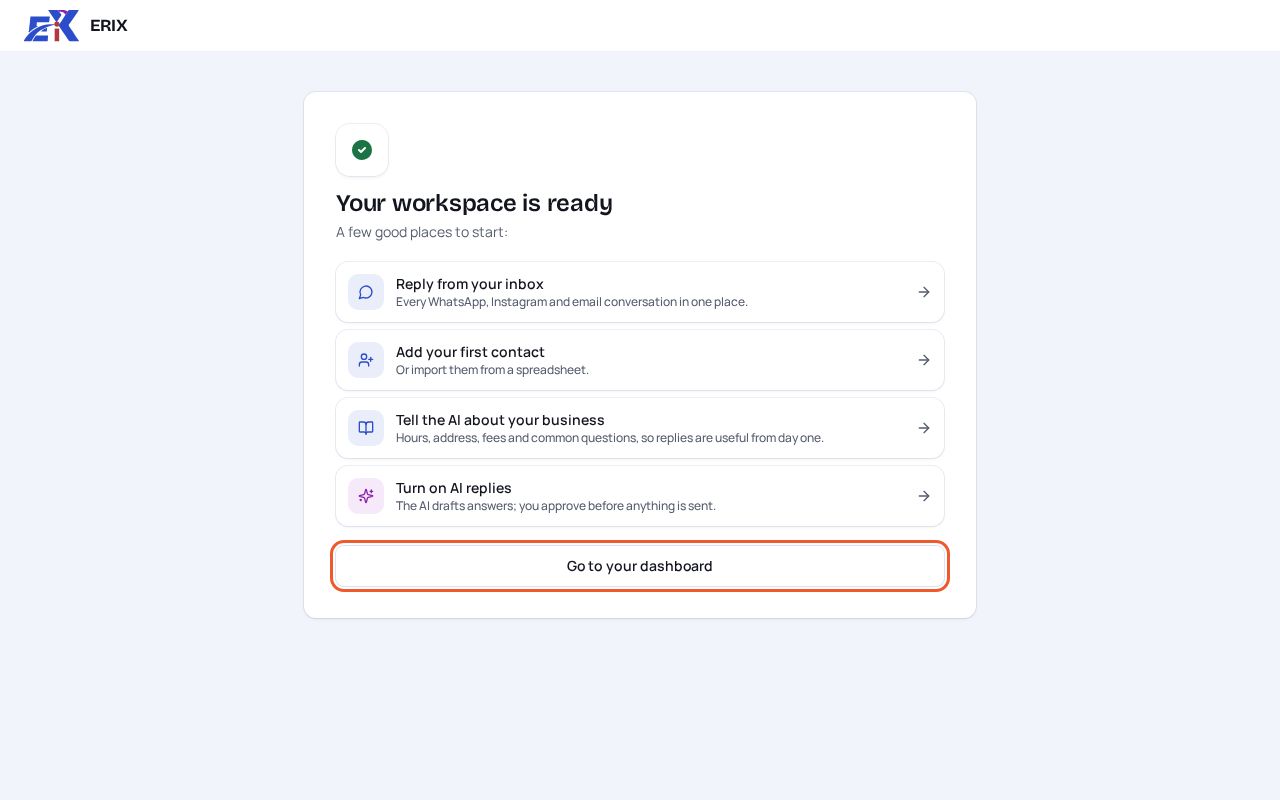
Step 6. Your workspace is ready. Pick a first job from the list, or select Go to your dashboard to open Home.
 (opens the full-size image)
If something isn't right
The confirmation email didn't arrive.
Look in spam and promotions. Then open ERIX and use the banner at the top of Home to send it again.
I picked the wrong kind of business.
Change it in Settings › Business profile › Industry. Your words change with it; the pipeline and automations you already have stay as they are.
Was this page helpful?
Related
- Find your way around ERIXWhat each part of the sidebar is for, and the fastest way to get anywhere.
- Connect your WhatsApp numberAdd your business number through Meta's official WhatsApp API so chats and campaigns run from ERIX.
- Teach the agent about your businessAdd your timings, fees and FAQs so the AI answers from your facts instead of guessing.