
Teach the agent about your business
Add your timings, fees and FAQs so the AI answers from your facts instead of guessing.
How-to3 minChecked against ERIX on
The agent only answers from what you give it. Without knowledge, its replies wait for you as drafts.
Step 1. Open Agents › Knowledge. Choose how to add it: Paste text, Add web page, Add website or Upload file.
Step 2. For Paste text, give it a title and paste your FAQ, price list or timings. Select Add text.
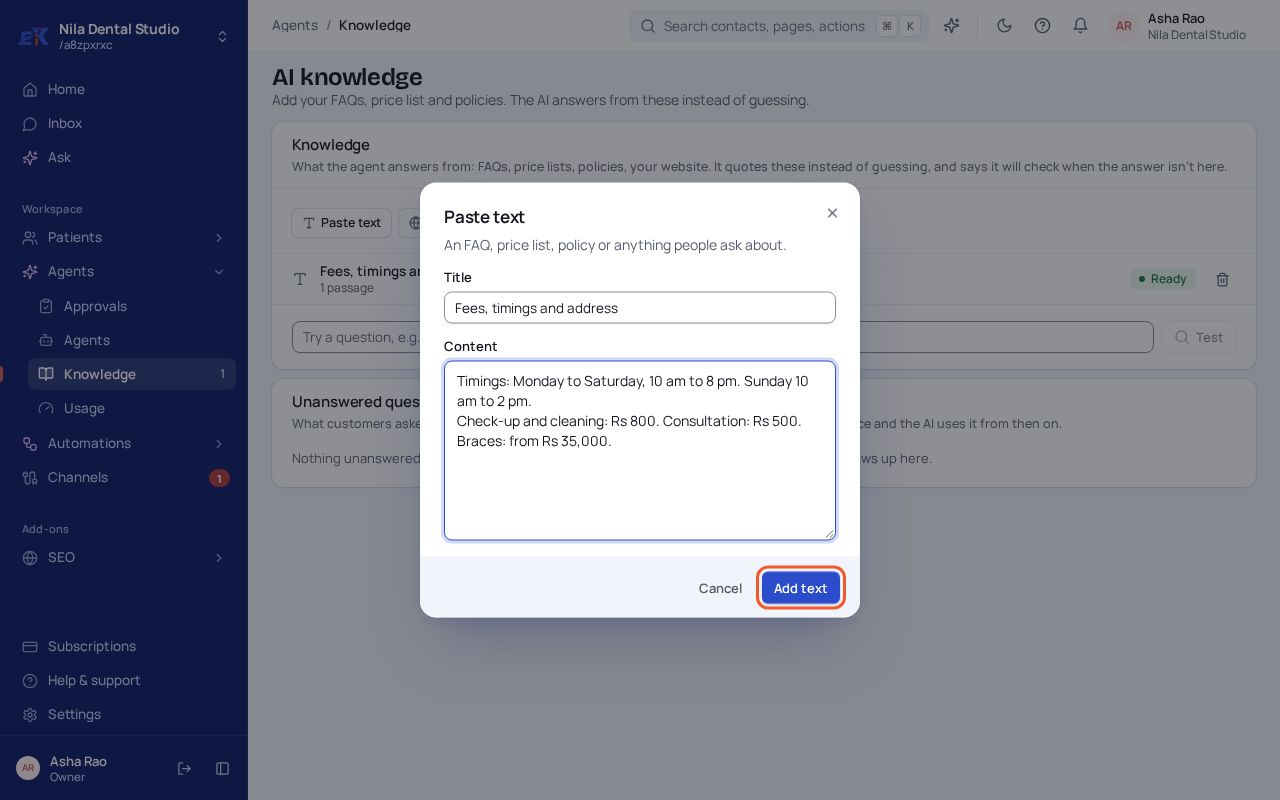 (opens the full-size image)
Step 3. Type a question a customer might ask in the test box and select Test to see what the agent would answer.
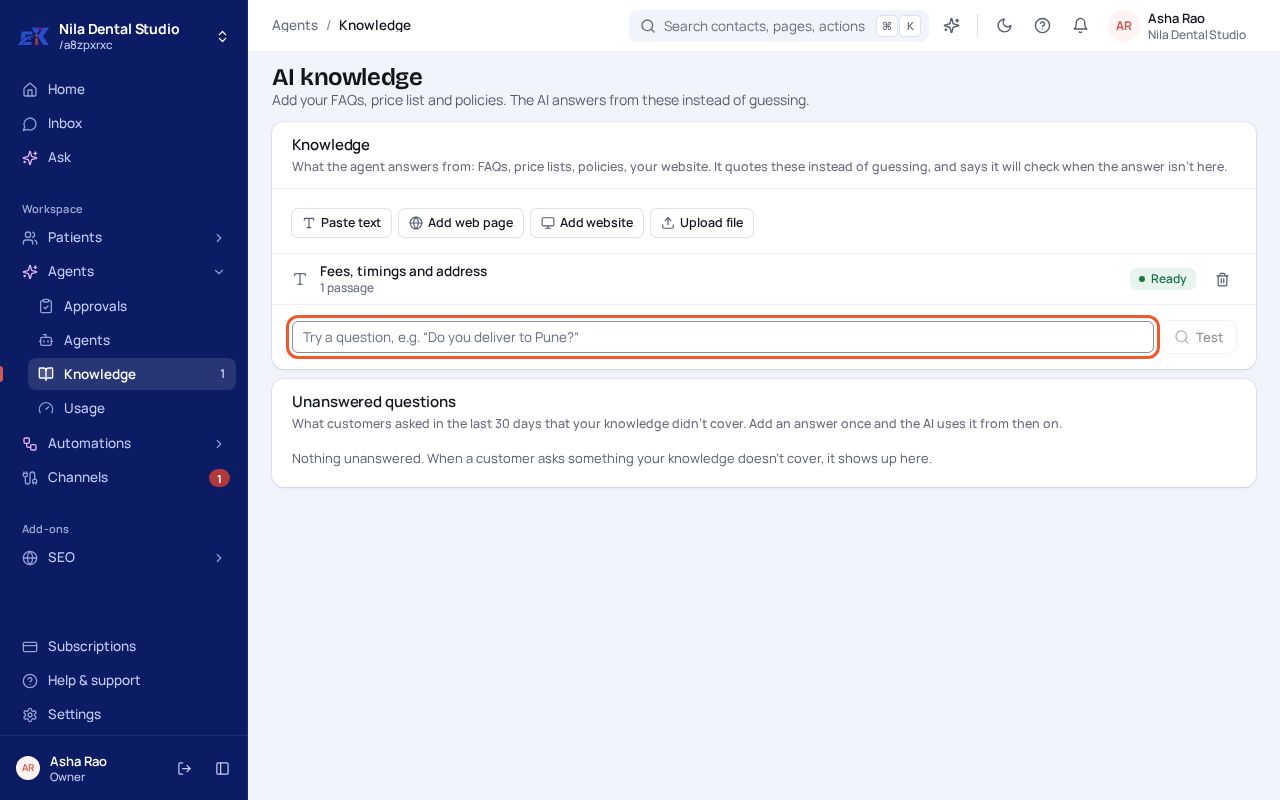 (opens the full-size image)
If something isn't right
The page says "Not available in your workspace".
Agents are switched on per workspace. Ask us from Help & support and we'll switch them on.
The agent quoted an old price.
Edit or remove the source that has it, then test the question again.
Was this page helpful?