
Find your way around ERIX
What each part of the sidebar is for, and the fastest way to get anywhere.
Explained3 minChecked against ERIX on
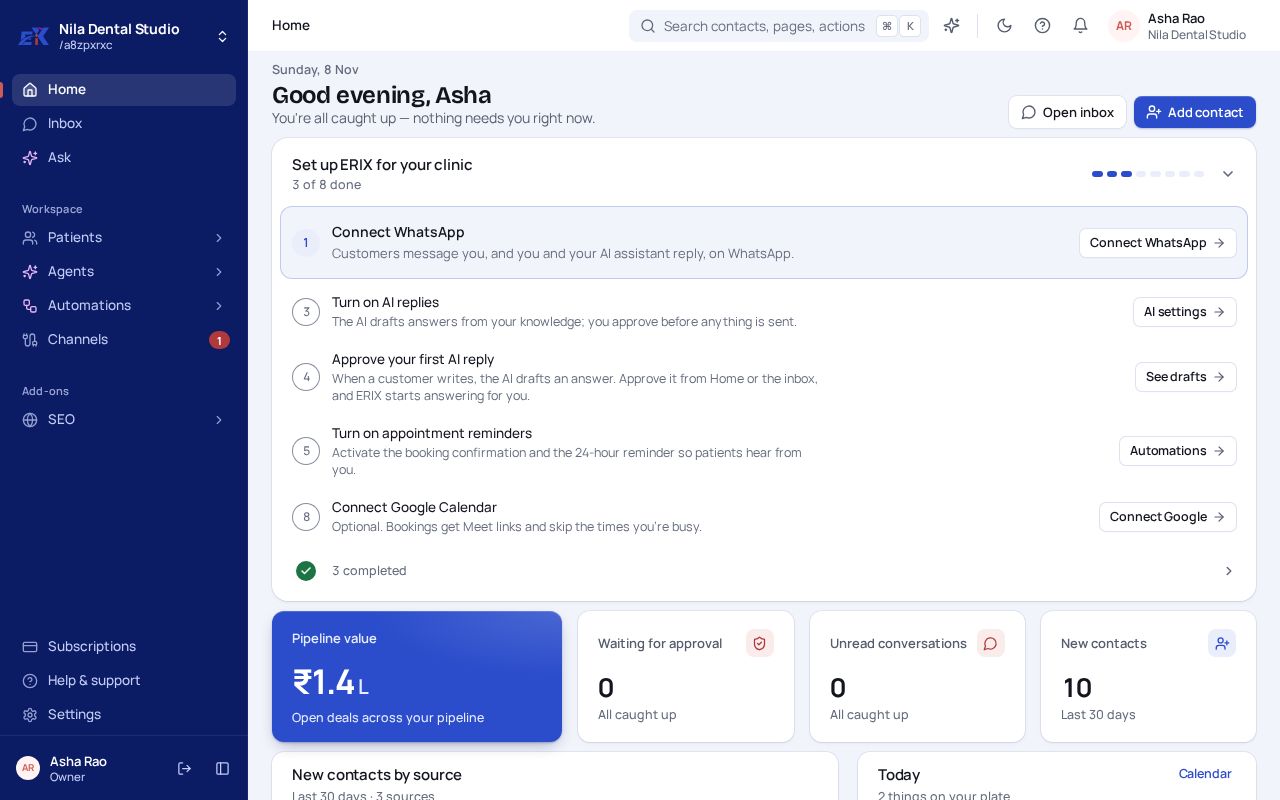
The sidebar follows the way your day works: who you serve, who answers, the rules behind them, and where it all comes in.
 (opens the full-size image)
| Place | What it's for |
|---|---|
| Home | The day at a glance: chats, bookings, money in the pipeline and anything waiting for you. |
| Inbox | Every chat and call in one list, one row per person, whatever channel they used. |
| Ask | Ask about your business in plain words, such as "who hasn't paid this month?" |
| Customers (or Patients, Buyers…) | Contacts, your pipeline, bookings, forms and invoices. |
| Agents | Your AI assistants, what they know, and what they held back for you to approve. |
| Automations | Rules that run on their own, such as a reminder the day before a visit, and campaigns. |
| Channels | Connect WhatsApp, Instagram, email, website chat, your phone number and apps like Razorpay. |
| Add-ons | Extra products your workspace has switched on, such as SEO. Hidden when there are none. |
| Subscriptions, Help & support, Settings | Your plan and usage, raising a ticket, and settings for you and your workspace. |
Go anywhere with search
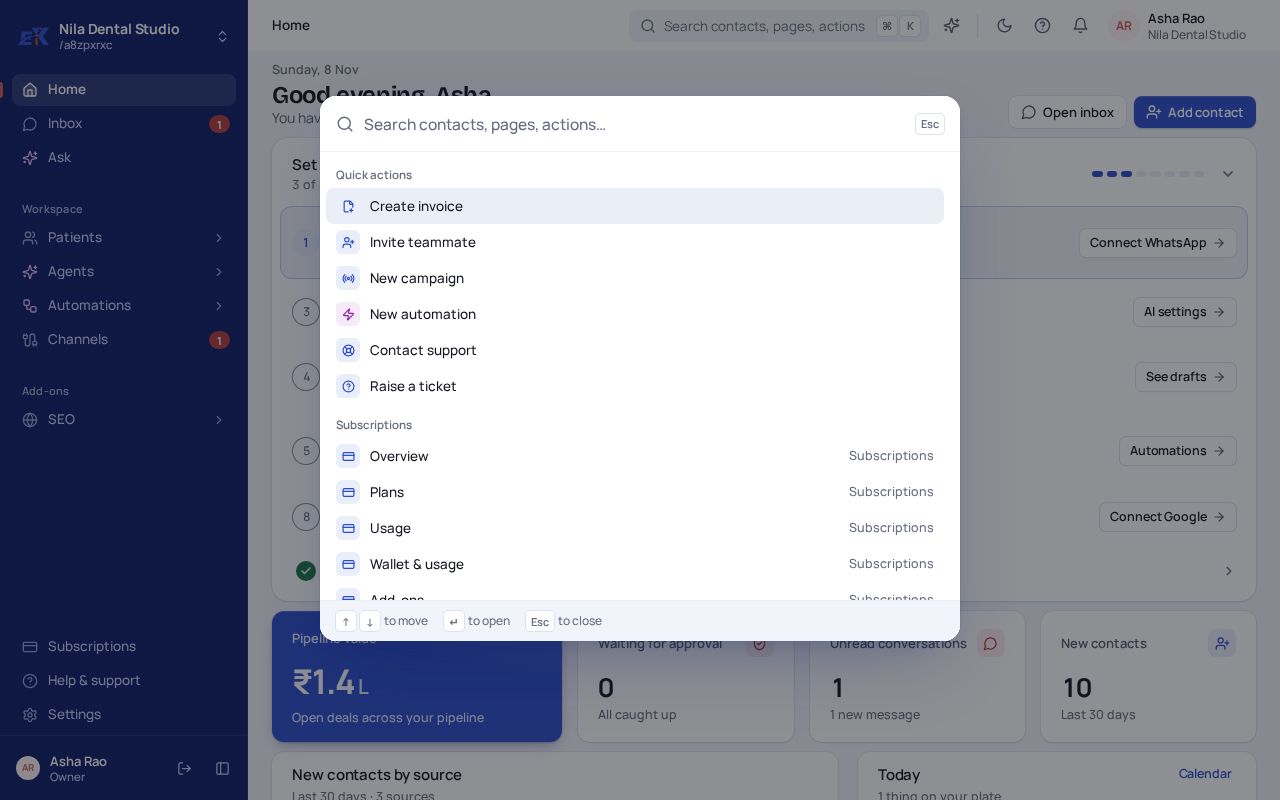
Step 1. Press Ctrl + K (or ⌘ K on a Mac), or select the search bar at the top.
 (opens the full-size image)
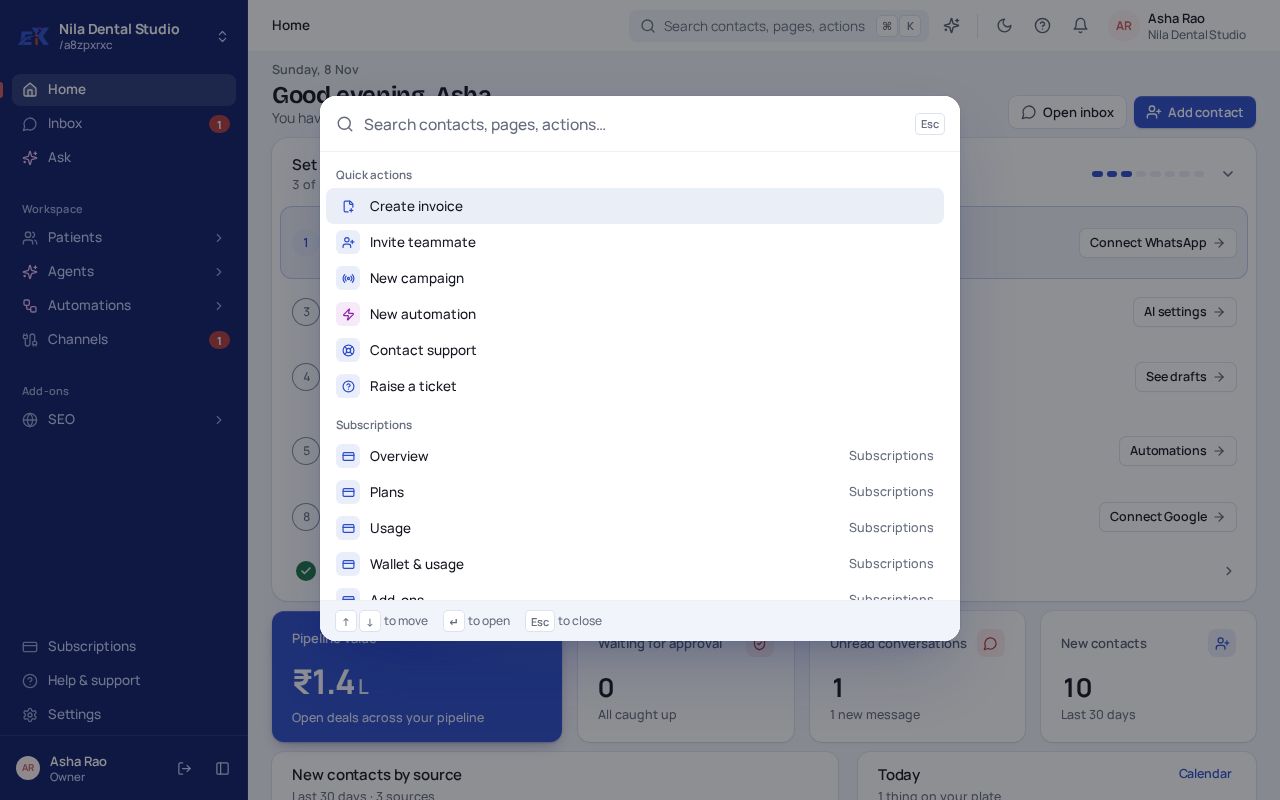
Step 2. Type a page, a contact's name or an action such as "invoice", then press Enter.
Was this page helpful?