
Use your business's own words
Call your customers Patients, Students or Members, and your bookings Appointments or Site visits, everywhere in ERIX.
How-to2 minChecked against ERIX on
Before you start
- You are the owner or an admin of the workspace.
The kind of business you picked at sign-up sets these words. You can change any of them. Menus, page titles and buttons use them, and so does your AI assistant when it talks to customers.
Step 1. Open Settings at the bottom of the sidebar, then Business profile.
Step 2. Scroll to Words your workspace uses. Each box shows your business type's word in grey. Type your own word in any box.
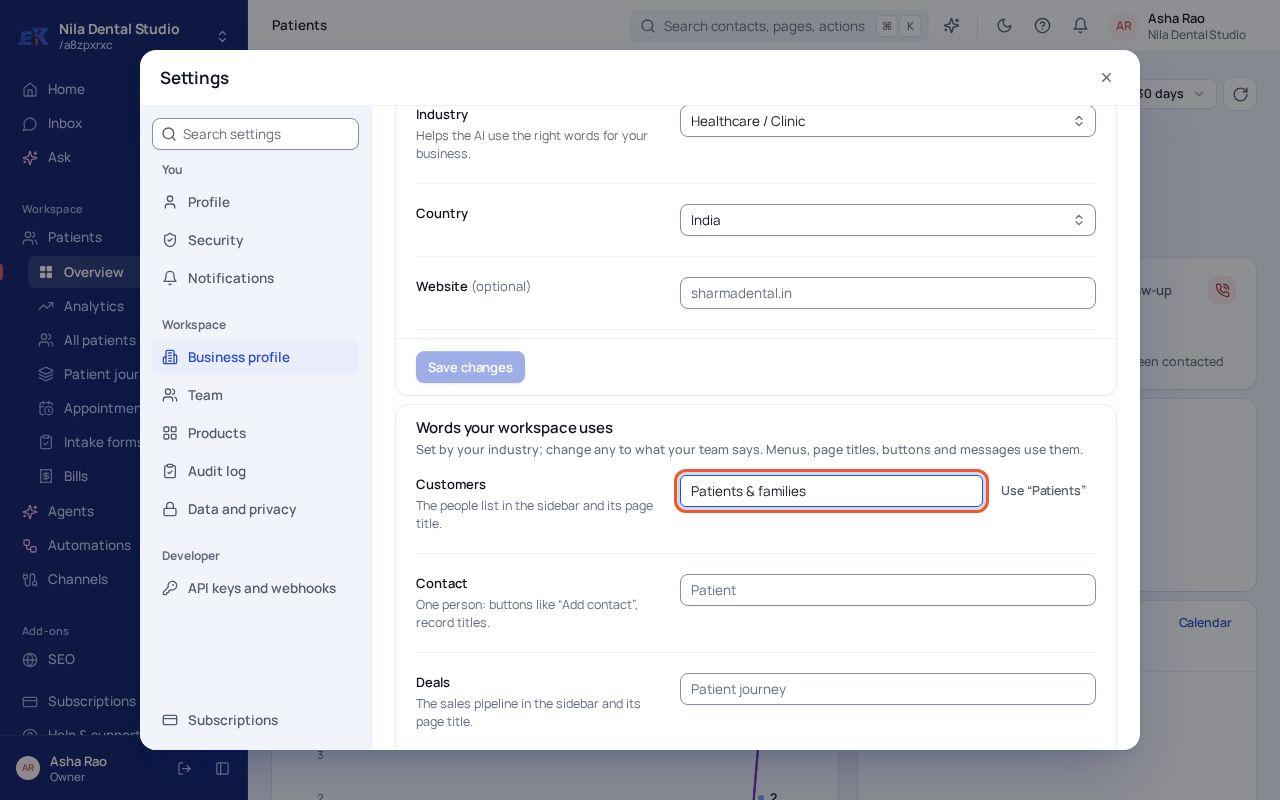 (opens the full-size image)
Step 3. Select Save words. The sidebar and pages change straight away.
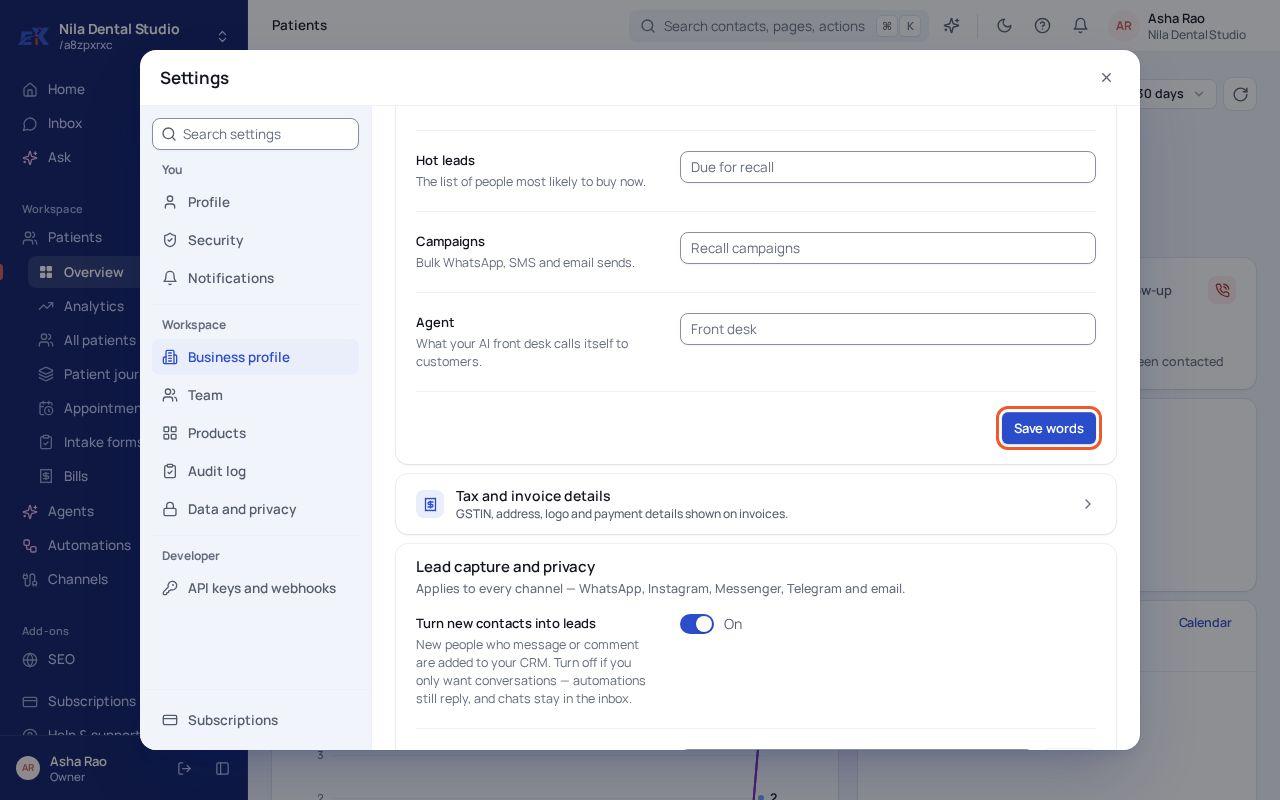 (opens the full-size image)
| Word | Clinic | Real estate | Coaching |
|---|---|---|---|
| Customers | Patients | Buyers | Students |
| Bookings | Appointments | Site visits | Classes |
| Deals | Patient journey | Deal pipeline | Enrollments |
| Payments | Bills | Payments | Fees |
If something isn't right
A page still shows the old word.
Refresh the page. Words are loaded with your workspace when a page opens.
Was this page helpful?