
Take bookings online
Set your hours, create what people can book, and share one link on WhatsApp, Instagram or your website.
Tutorial5 minChecked against ERIX on
Set your hours
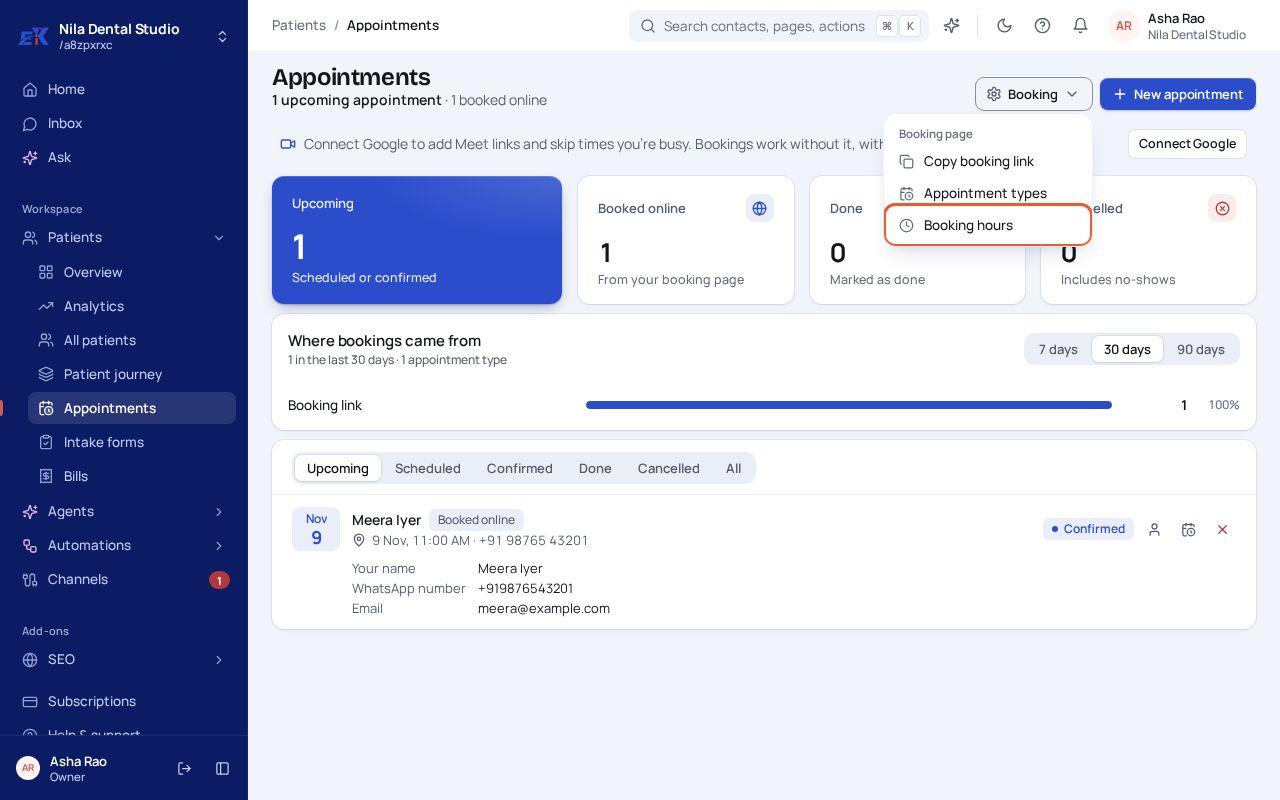
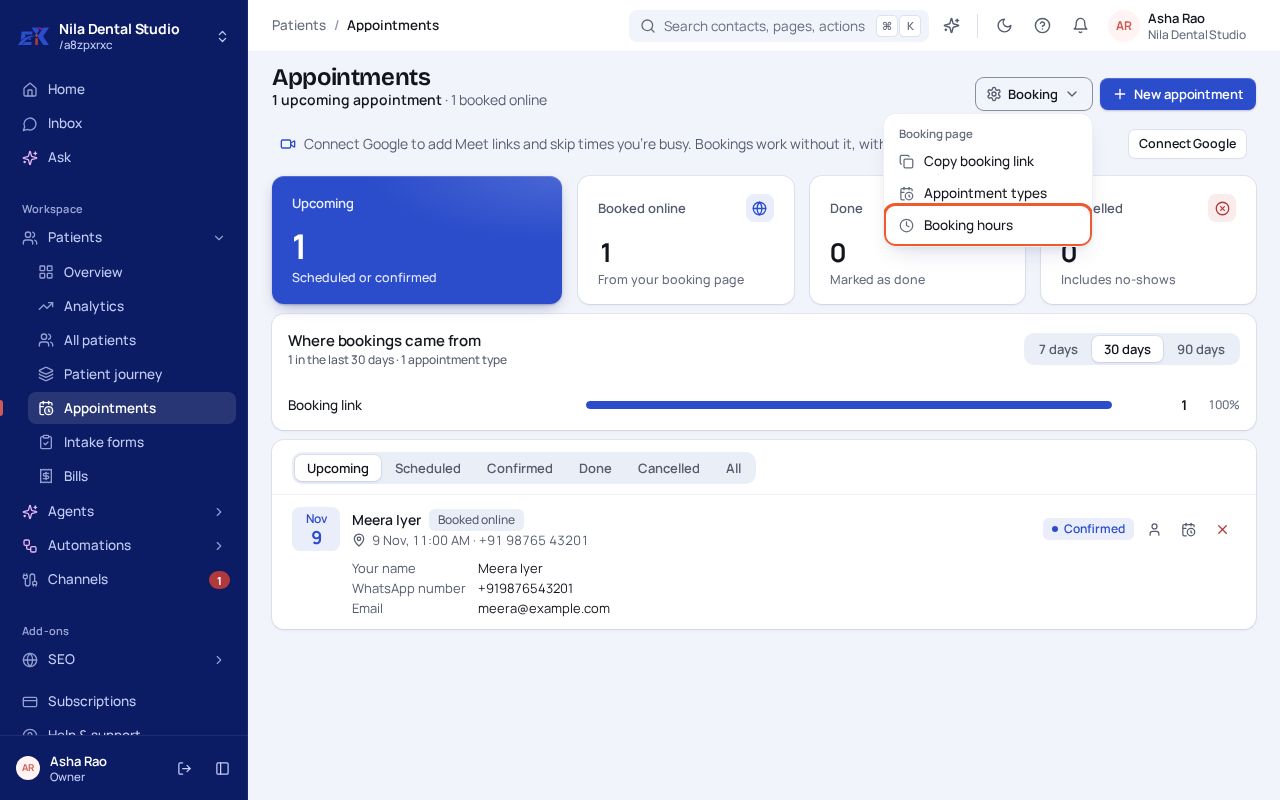
Step 1. Open Customers › Bookings (Appointments, Site visits…). Select Booking, then Booking hours.
 (opens the full-size image)
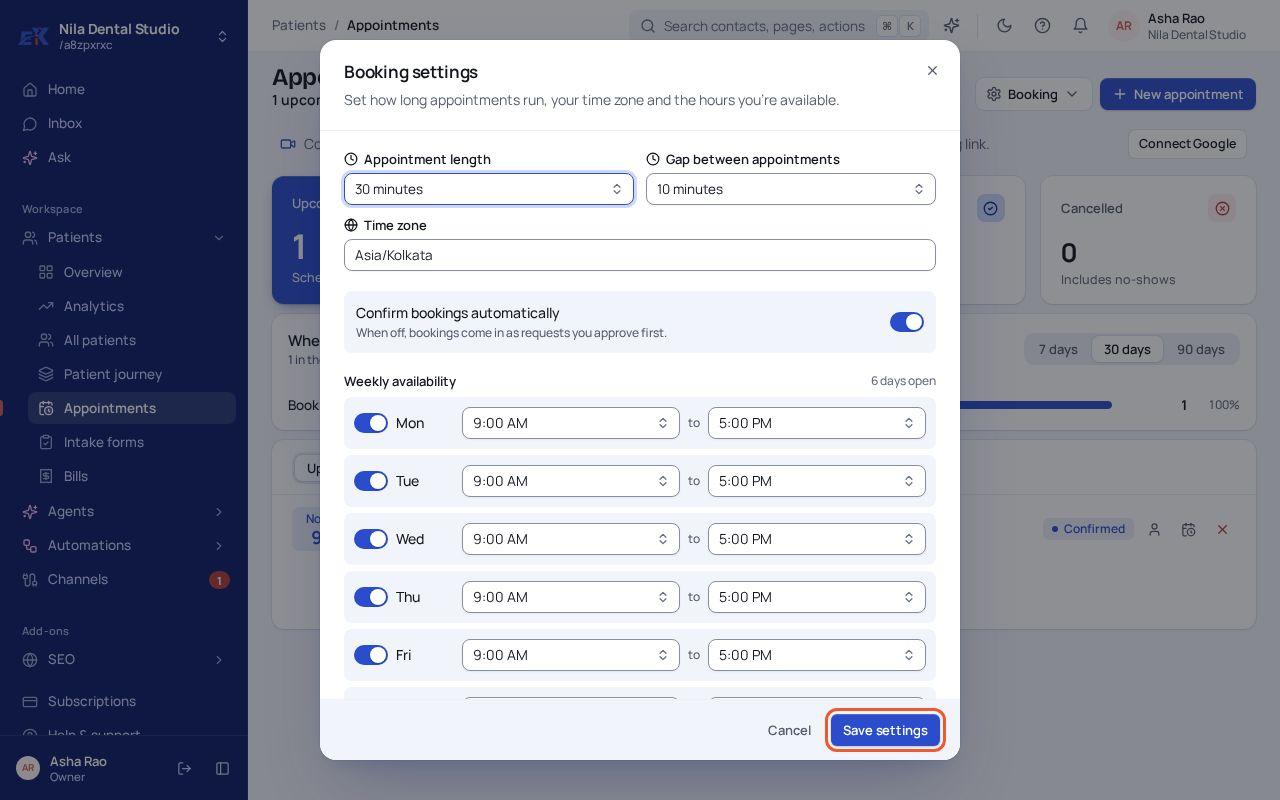
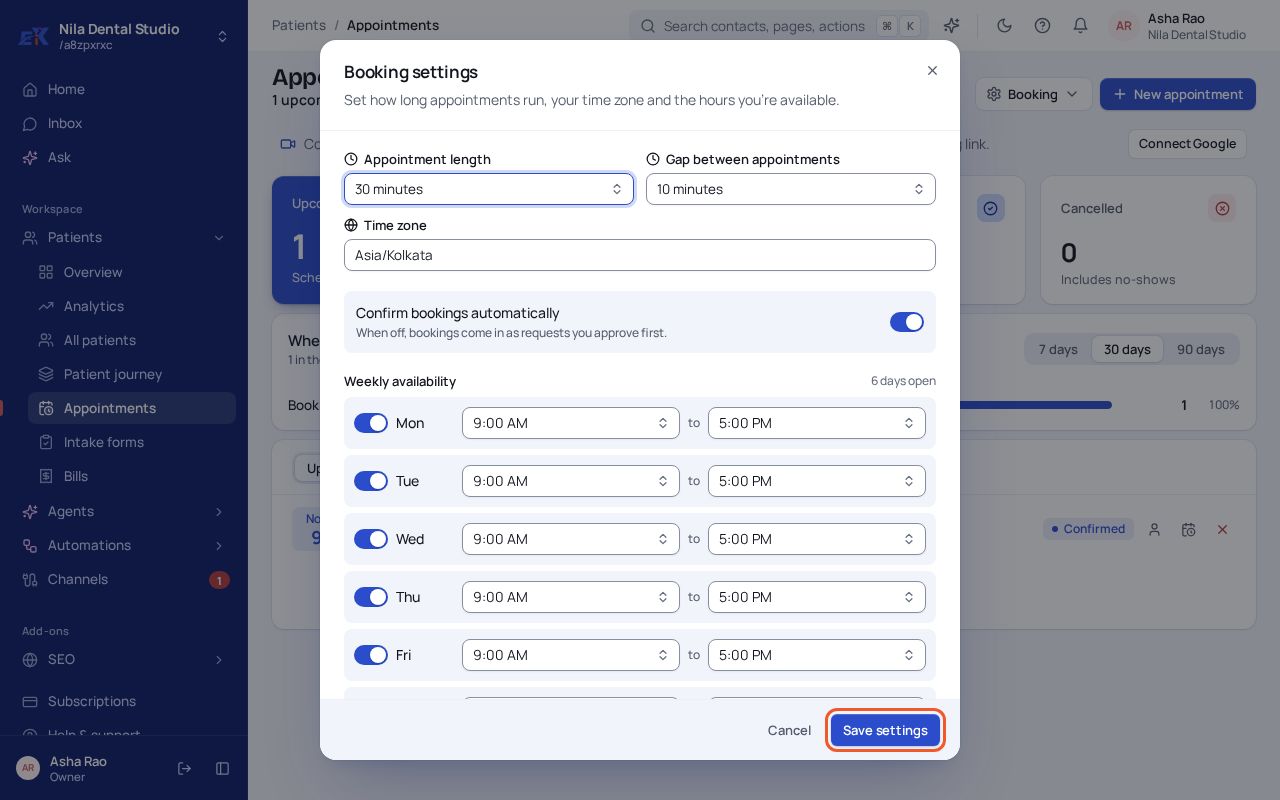
Step 2. Set how long appointments run, the gap between them and the days and hours you're open. Leave Confirm bookings automatically on, or switch it off to approve each request yourself. Select Save settings.
 (opens the full-size image)
Create what people can book
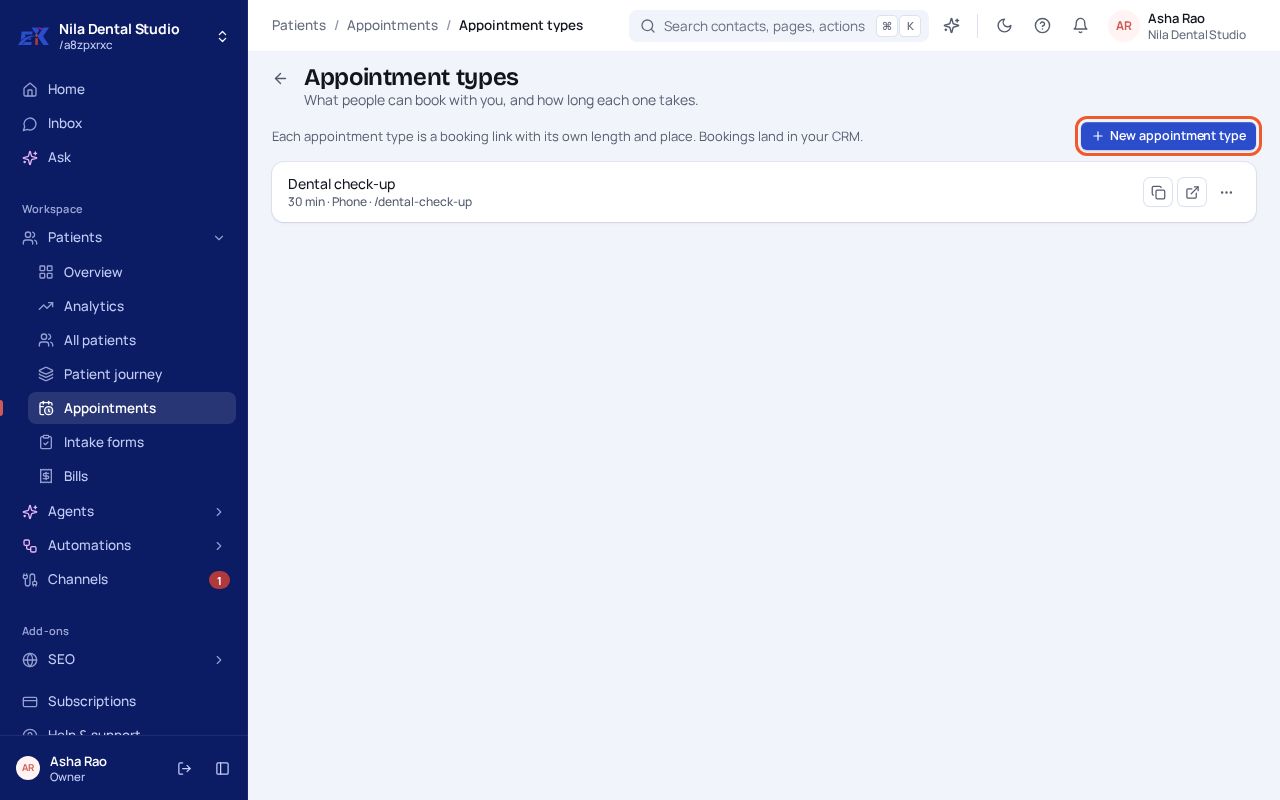
Step 1. Open Booking › Appointment types and select New appointment type.
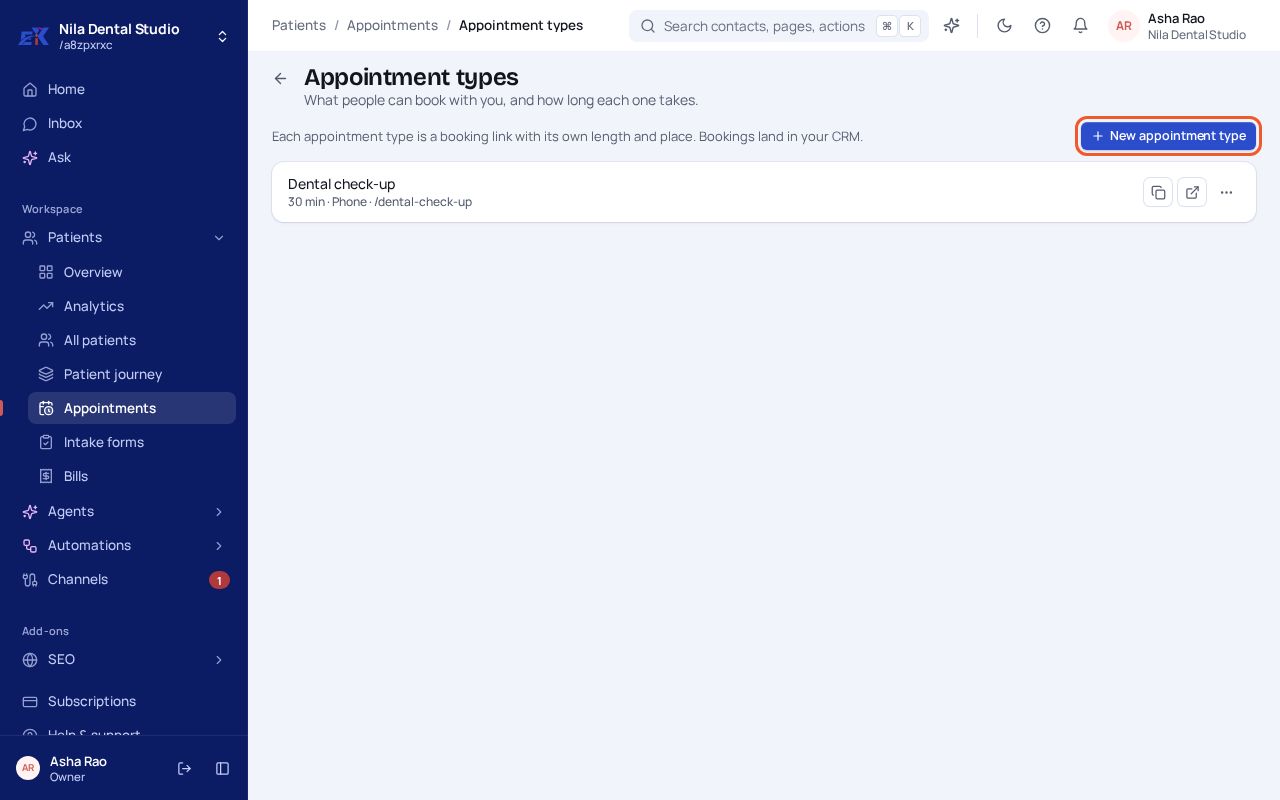 (opens the full-size image)
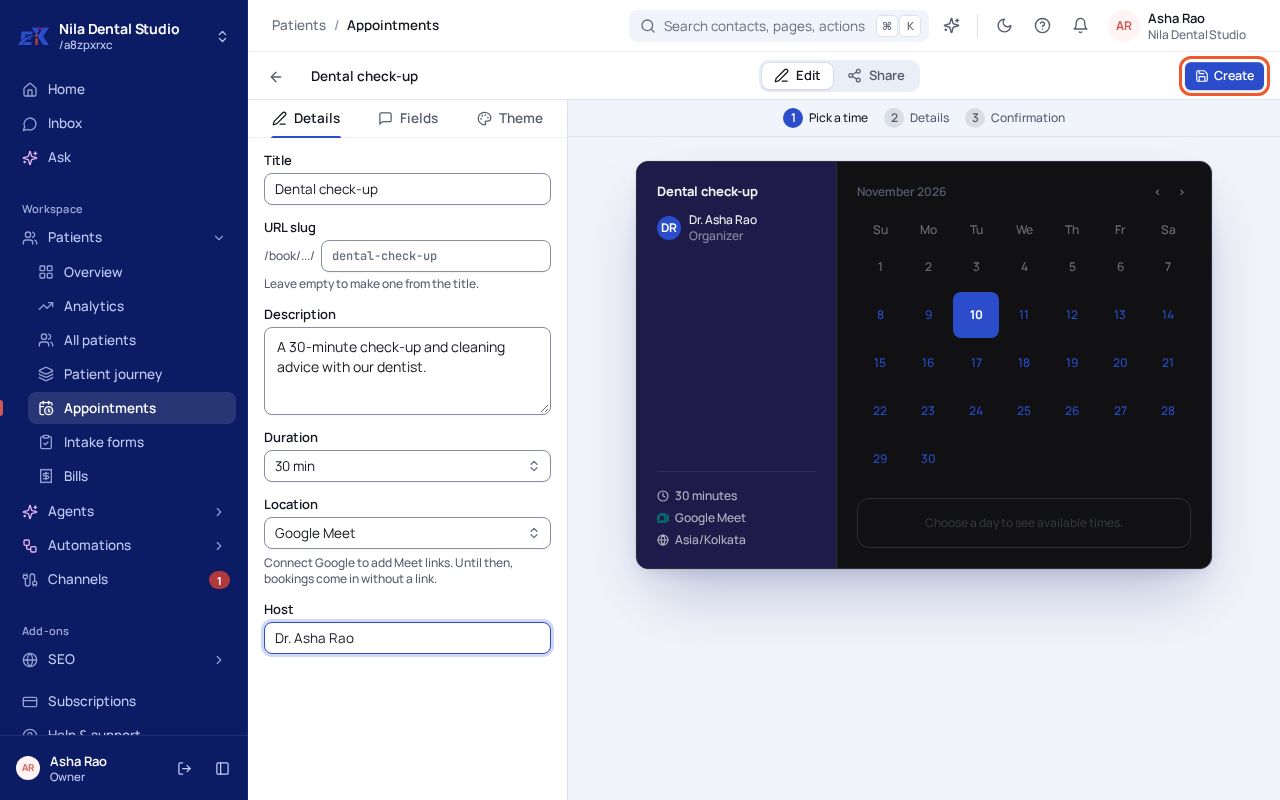
Step 2. Give it a name, a short description, a duration, a place (for example a phone call or Google Meet) and the host. The preview on the right shows what customers will see. Select Create.
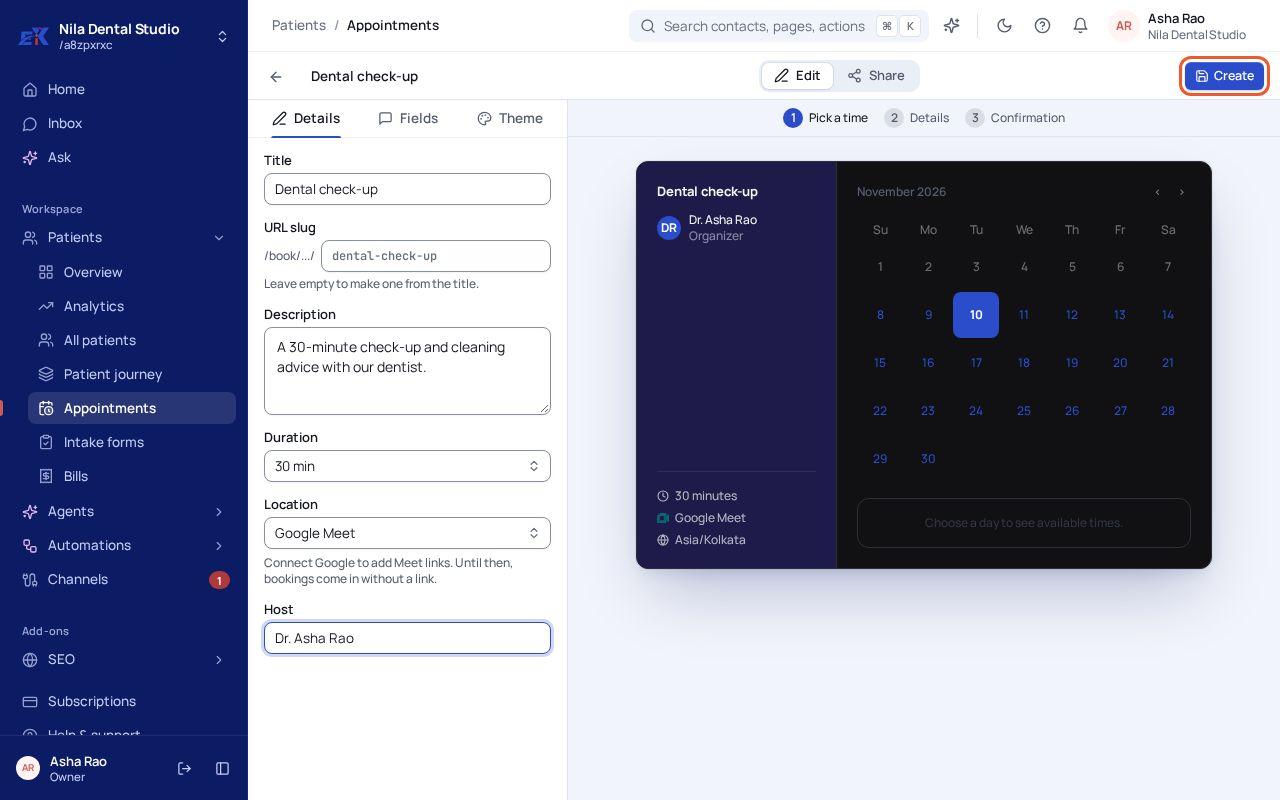 (opens the full-size image)
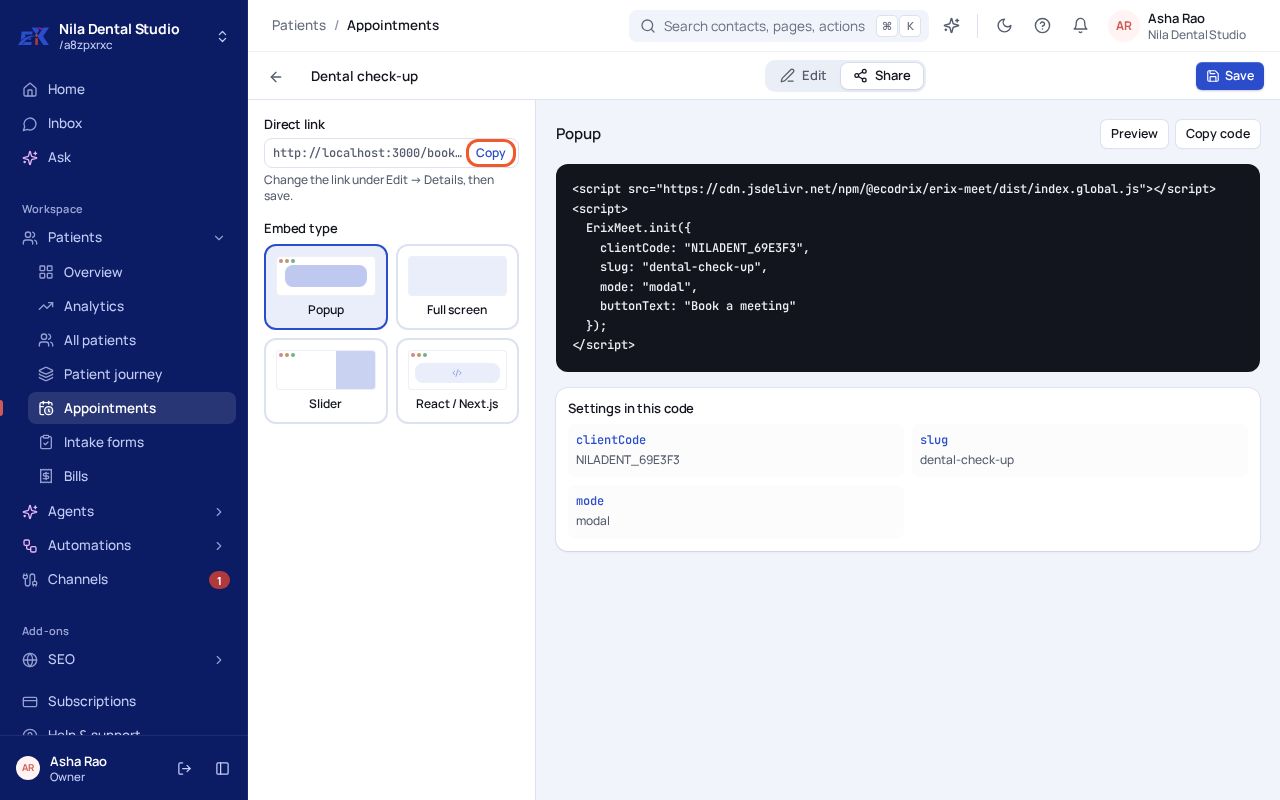
Step 3. Open the Share tab. Copy the Direct link to send anywhere, or copy the code to put a booking button on your website.
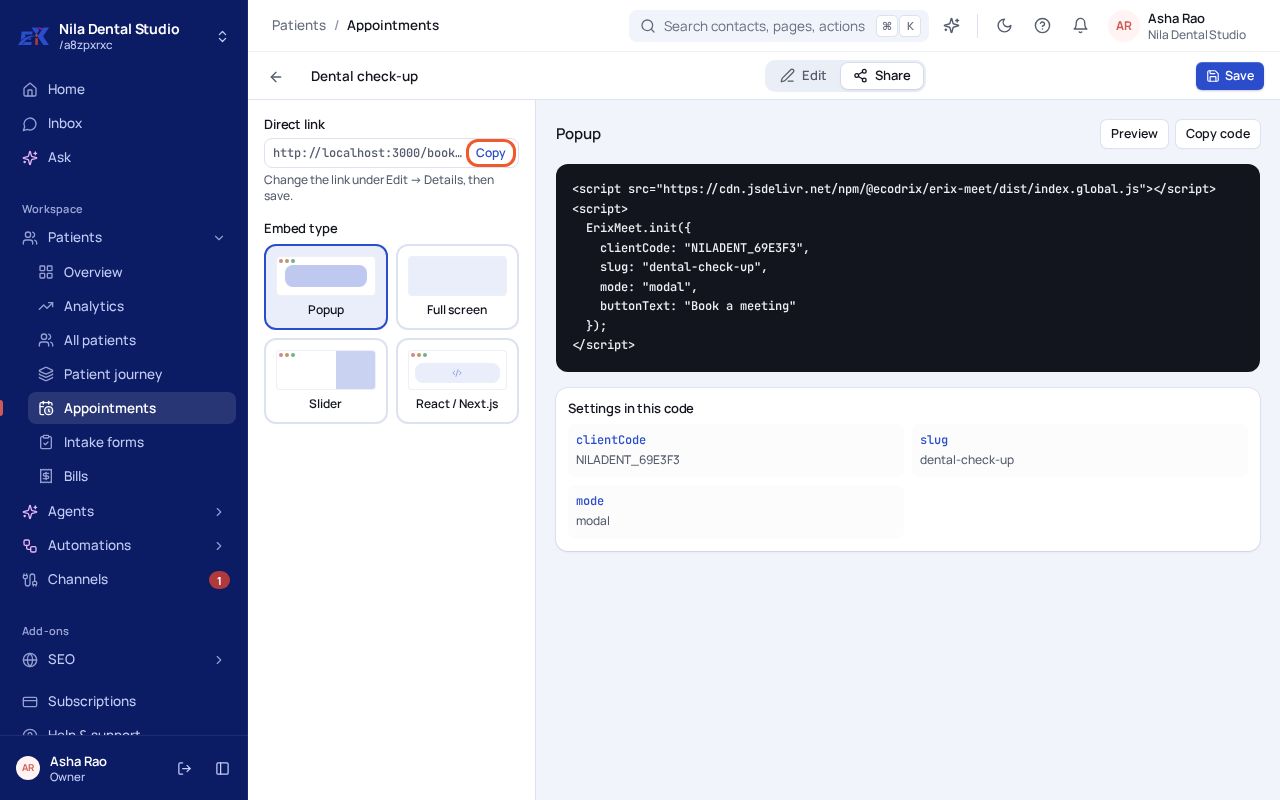 (opens the full-size image)
What your customer sees
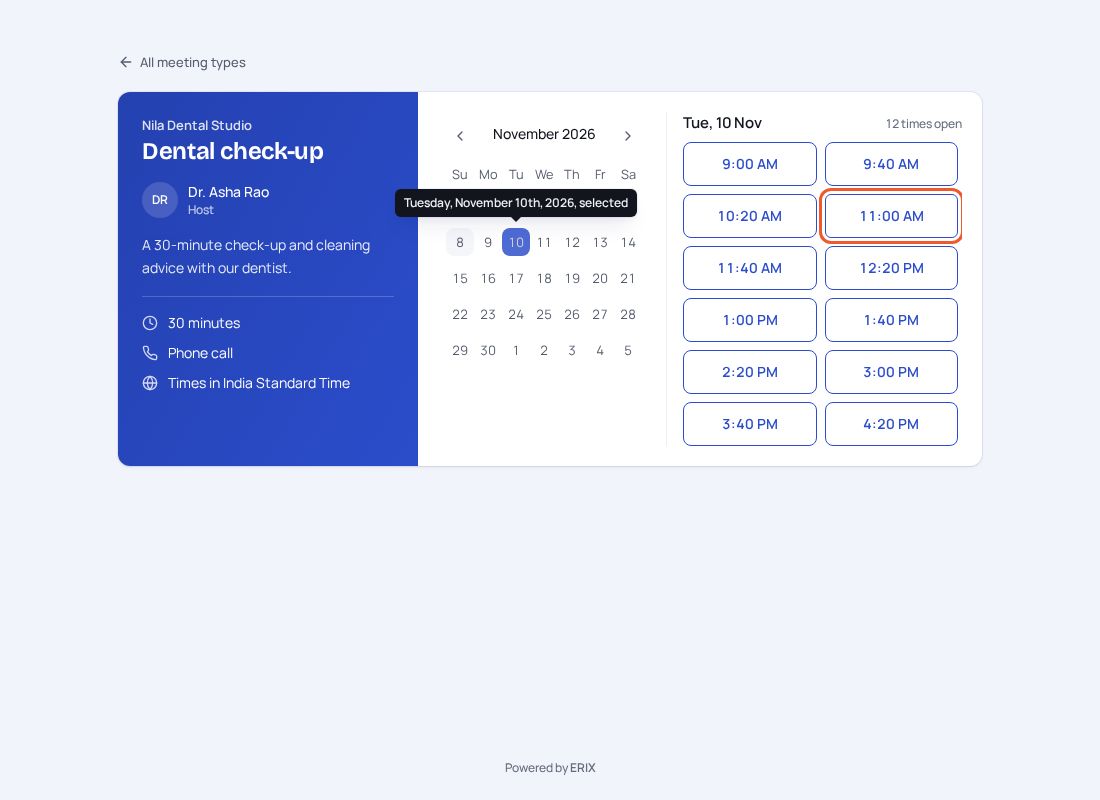
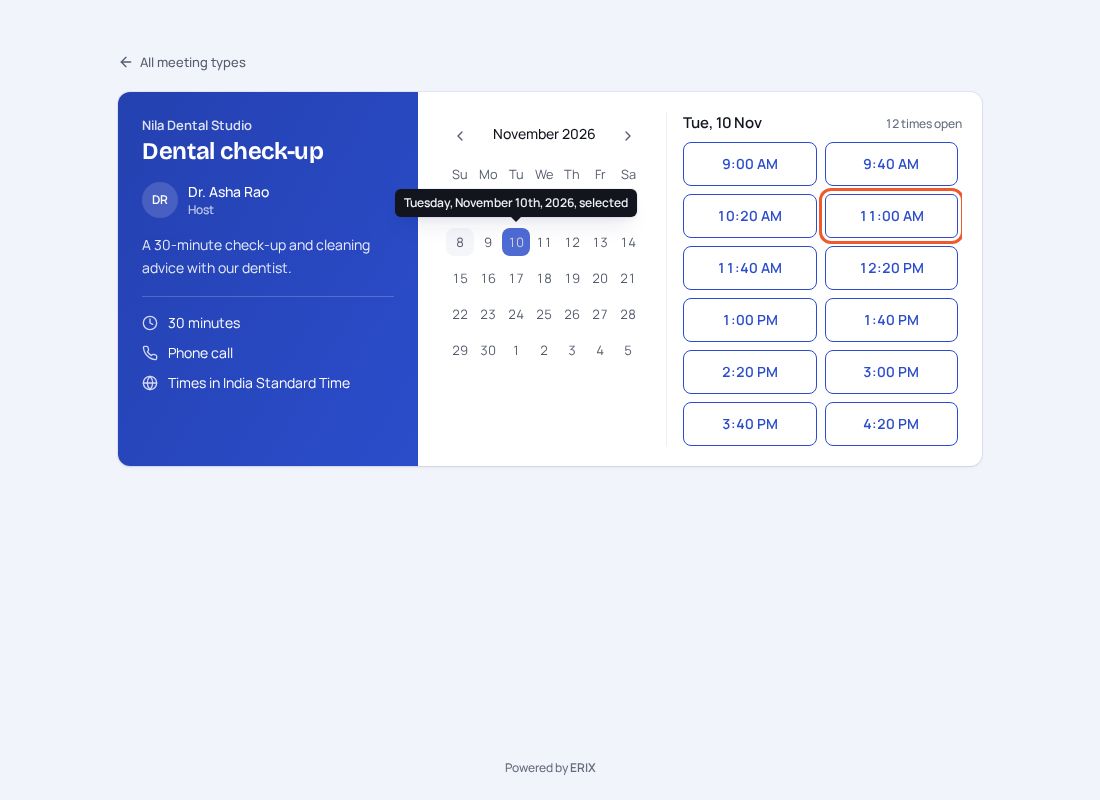
Step 1. They open your link, pick a day and a free time.
 (opens the full-size image)
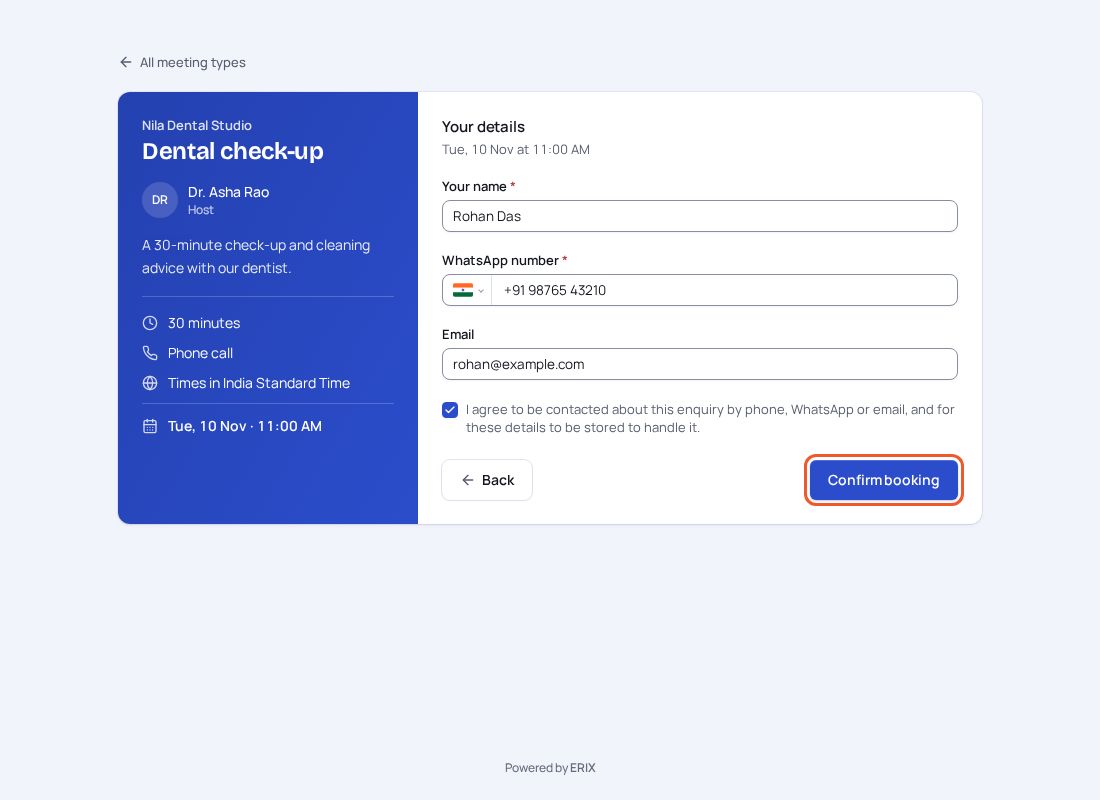
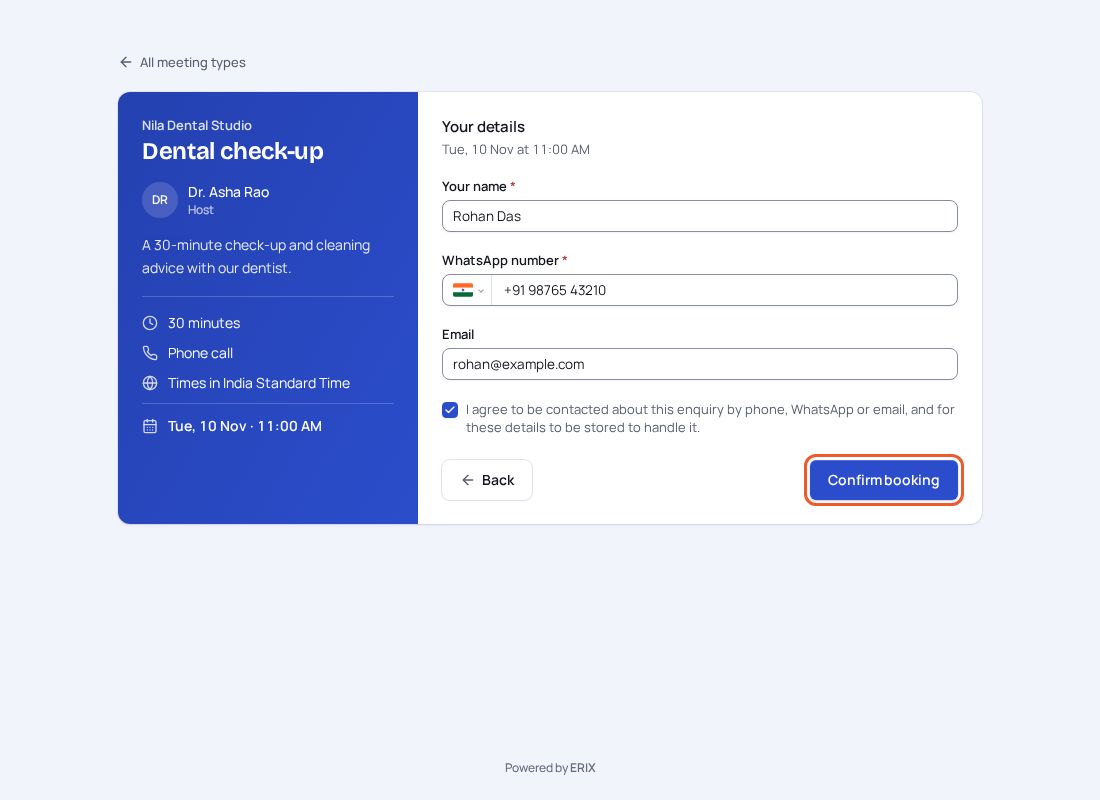
Step 2. They enter their name and WhatsApp number, agree to be contacted, and select Confirm booking.
 (opens the full-size image)
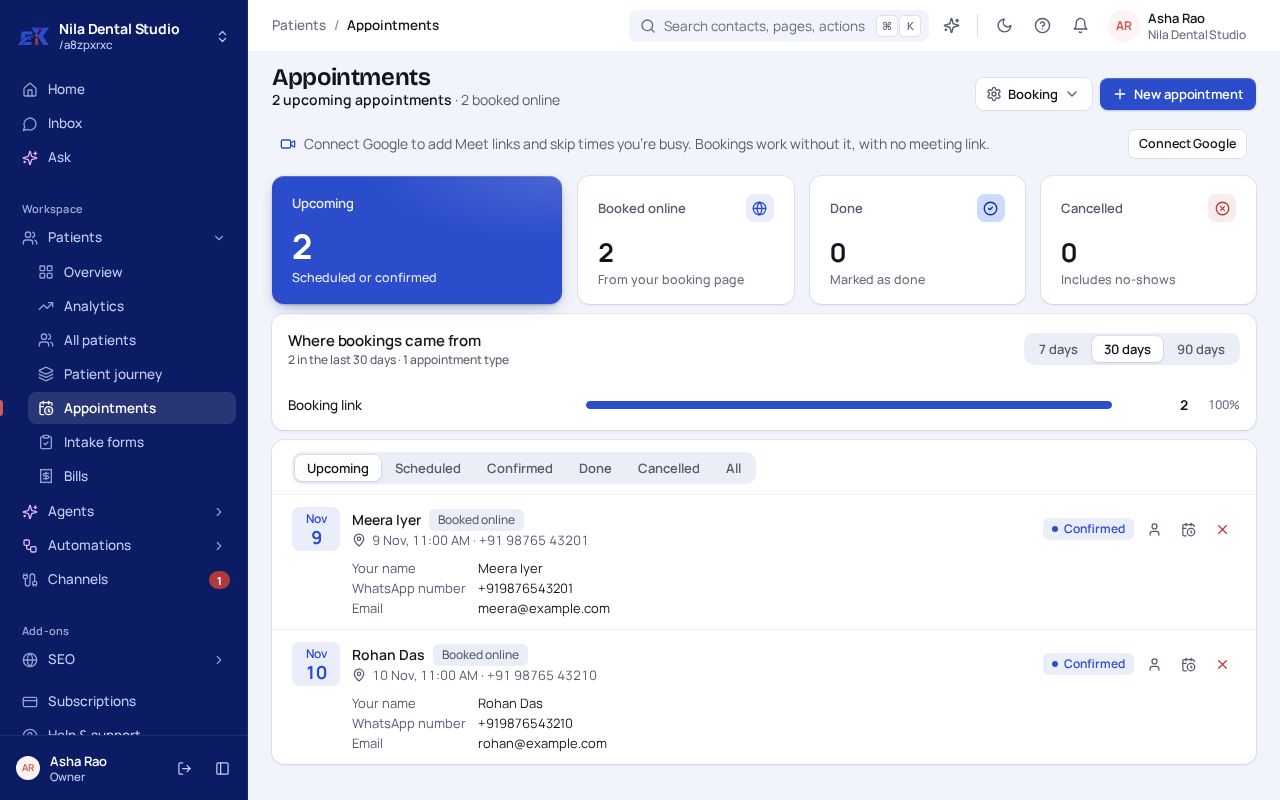
Step 3. They see that they're booked, and the booking appears in your list straight away, already linked to a contact.
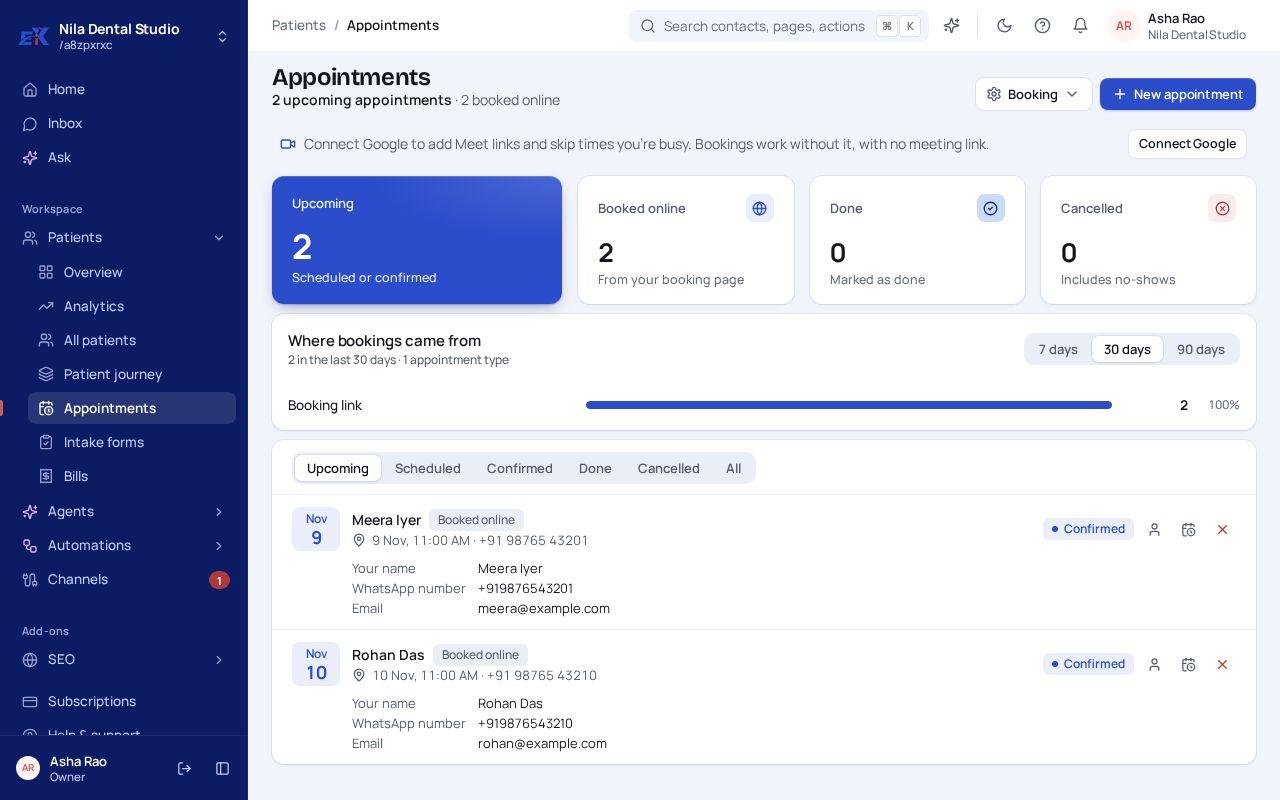 (opens the full-size image)
If something isn't right
My booking page shows no times.
Check Booking hours: at least one day must be open, and the length plus gap must fit inside your hours.
There's no Google Meet link.
Connect Google in Channels. Bookings work without it, just without a meeting link.
Was this page helpful?