
Test and switch on a ready-made rule
Turn on a reminder, follow-up or review request that ERIX set up for your business.
How-to4 minChecked against ERIX on
Your workspace came with rules for your business type, saved as drafts. Drafts don't run until you switch them on.
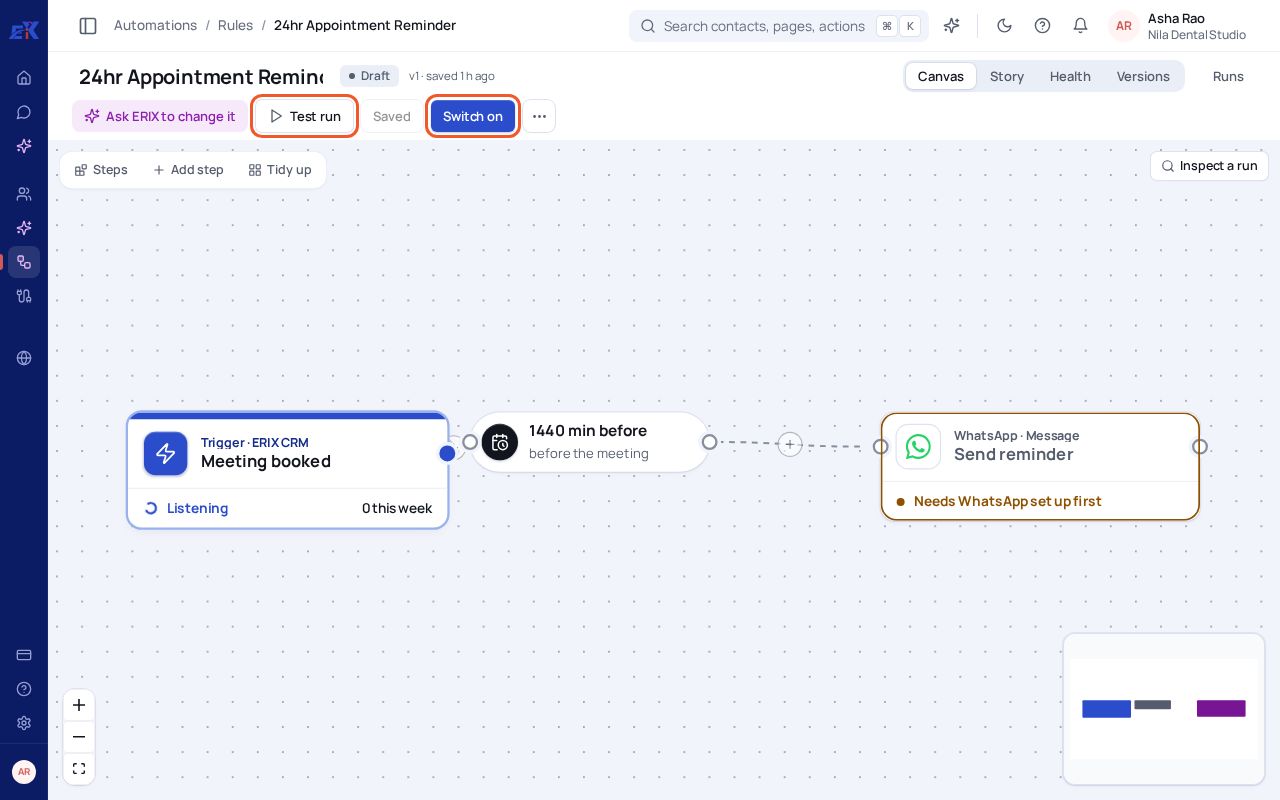
Step 1. Open Automations › Rules and select a rule, for example 24hr Appointment Reminder.
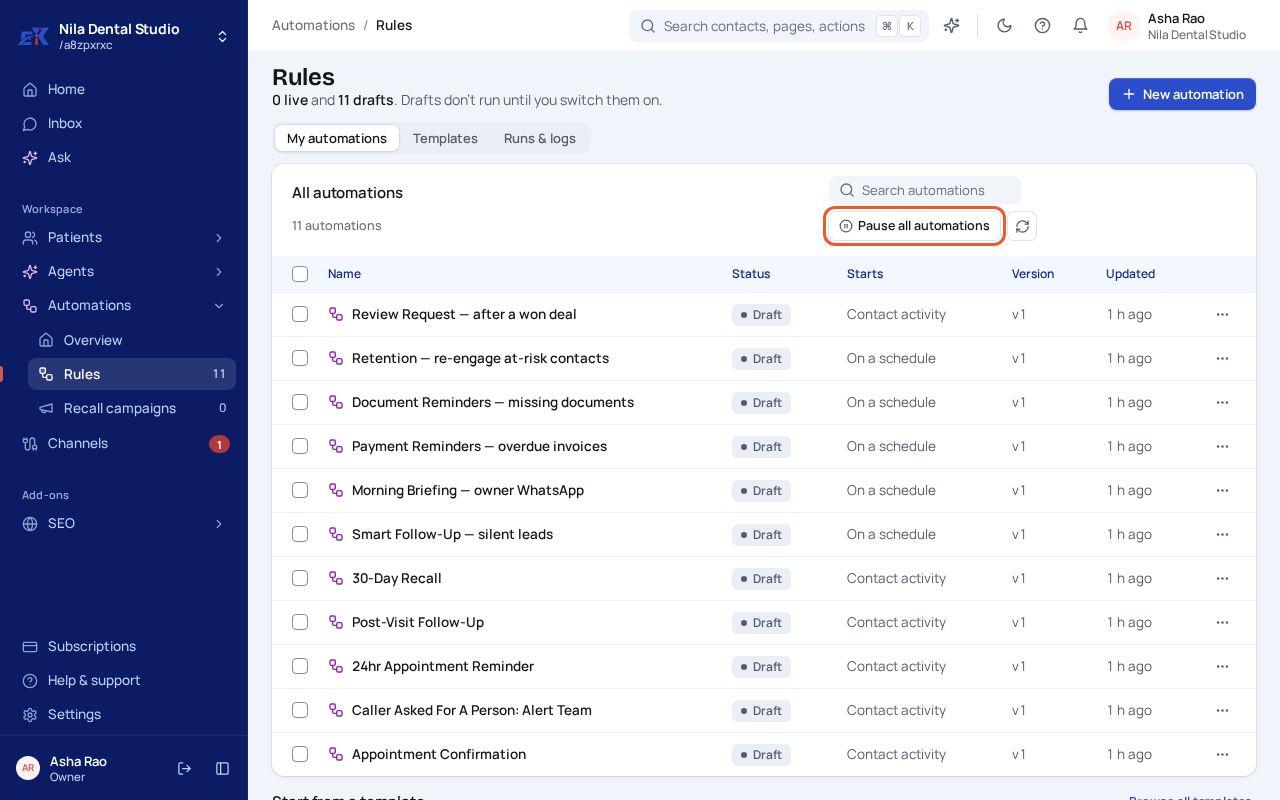 (opens the full-size image)
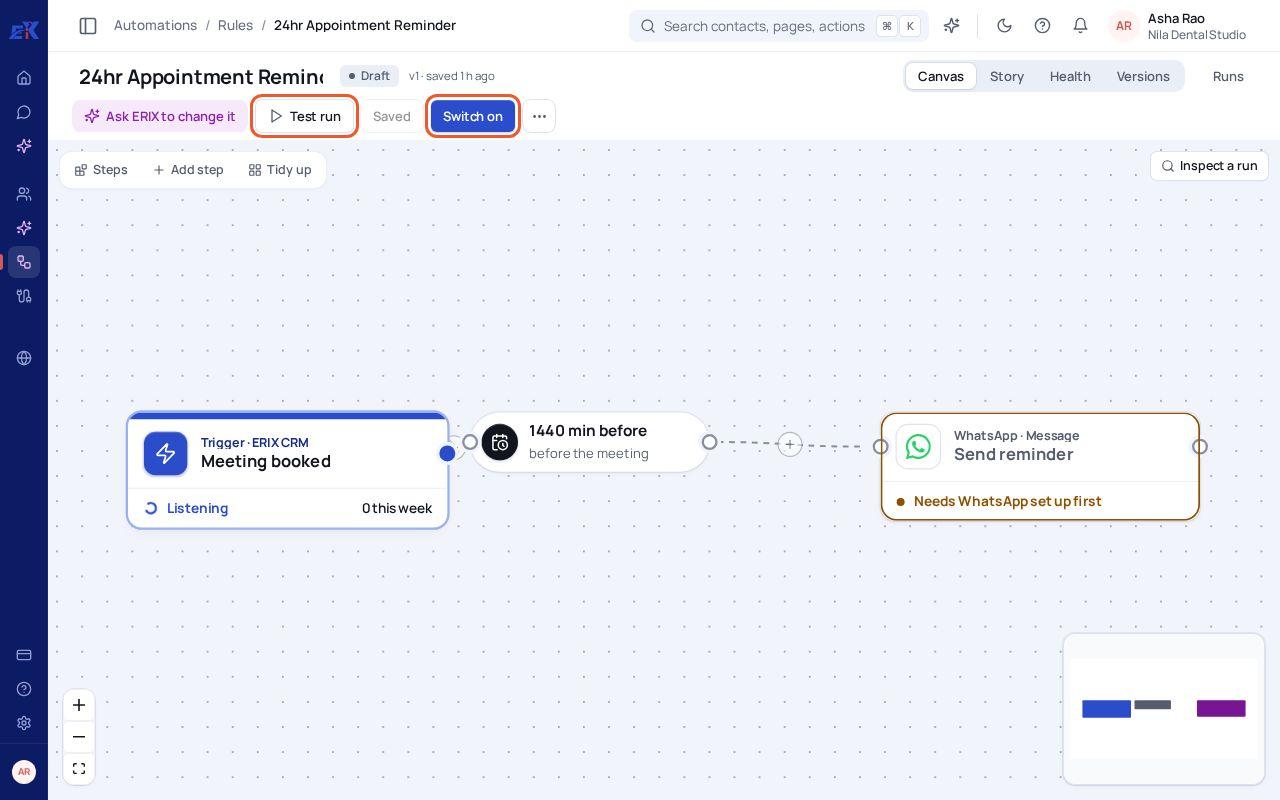
Step 2. Read it left to right: what starts it, any wait, and what it sends. A step that still needs something says so, for example Needs WhatsApp set up first.
 (opens the full-size image)
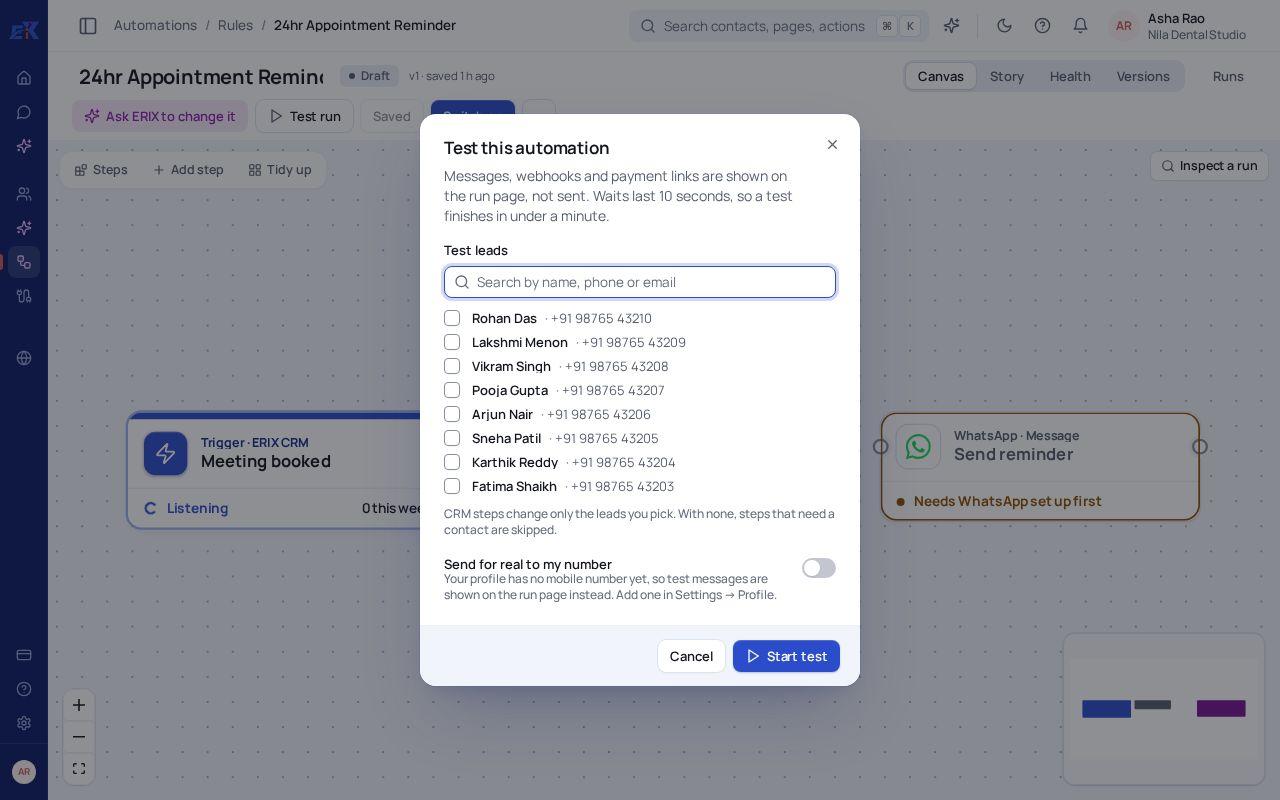
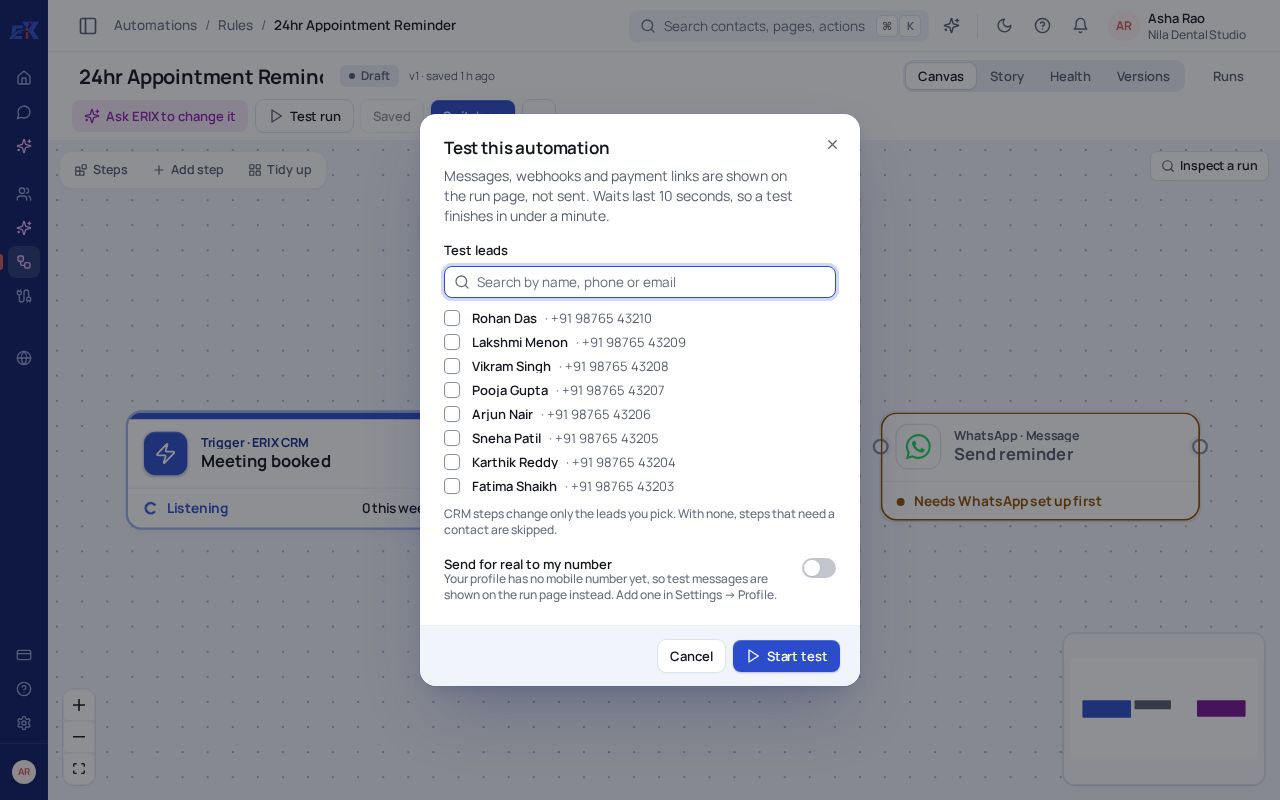
Step 3. Select Test run, pick one or more test contacts and select Start test. Messages, webhooks and payment links are shown on the run page, not sent.
 (opens the full-size image)
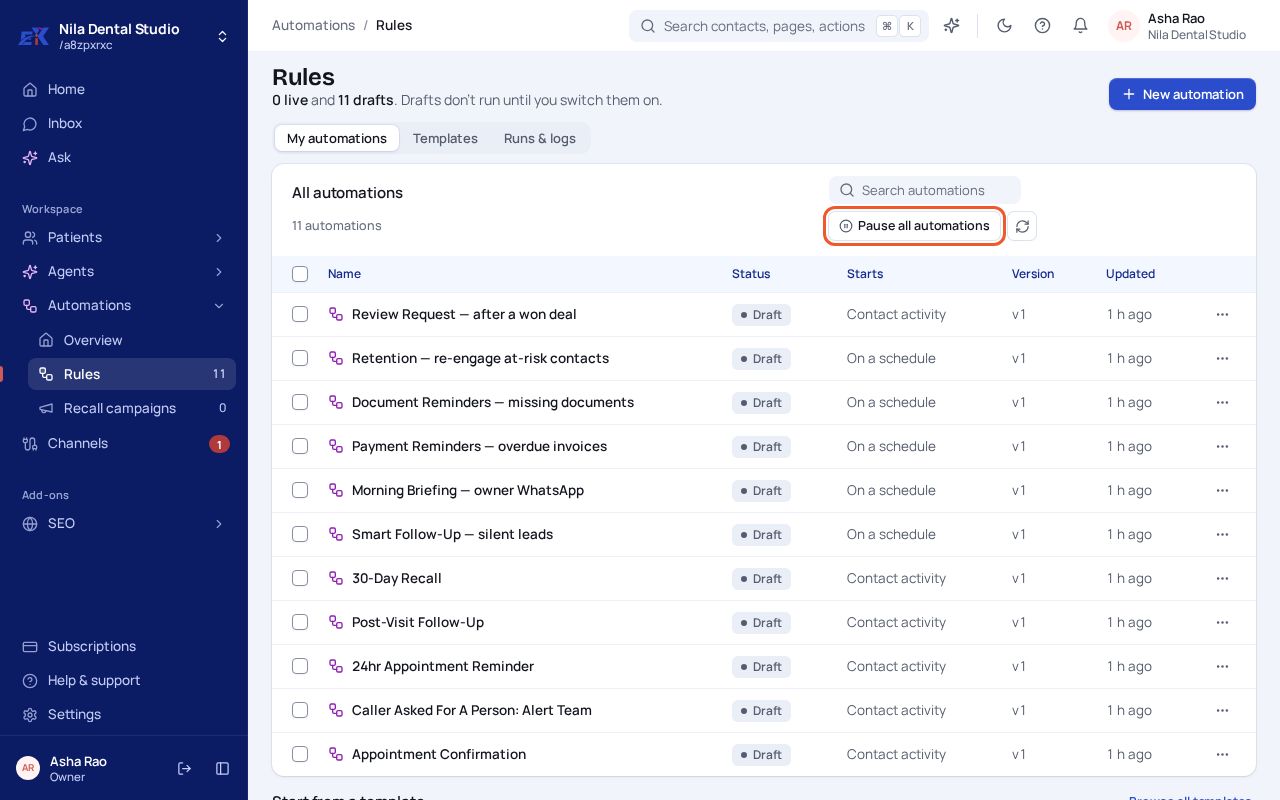
Step 4. When the test looks right, select Switch on. ERIX checks every step first and tells you what to fix if something is missing.
If something isn't right
Switch on says there are problems.
Each problem names its step. Open the step, fill in what it asks for (often a WhatsApp template or channel), and try again.
A rule sent something I didn't expect.
Open Rules › Runs & logs to see each run and step. Use Pause all automations if you need to stop everything.
Was this page helpful?