
Send a GST invoice
Create an invoice for a contact, then send it on WhatsApp or email with a payment link.
How-to4 minChecked against ERIX on
Before you start
- Your business name, address and GSTIN in Payments › Settings, so they print on every invoice.
- Razorpay connected in Channels, if you want customers to pay online.
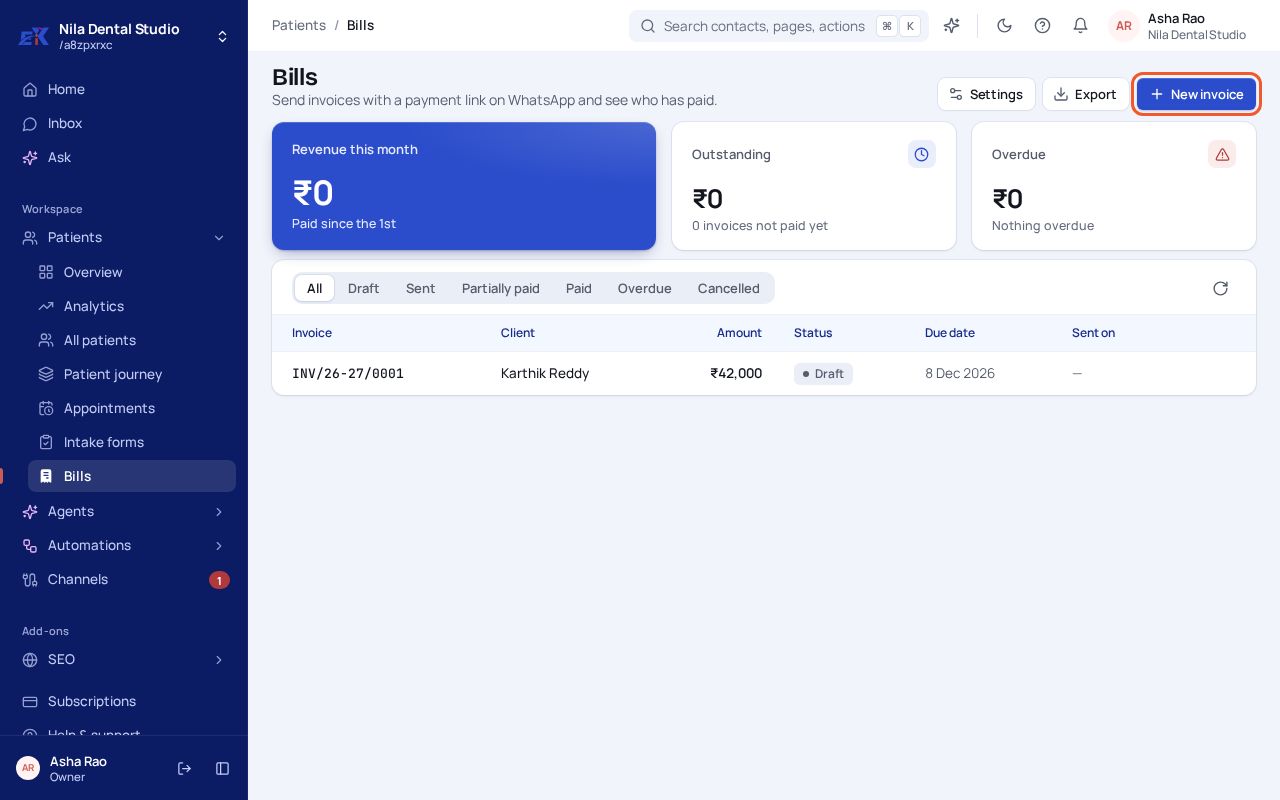
Step 1. Open Customers › Payments (Bills, Fees…) and select New invoice.
 (opens the full-size image)
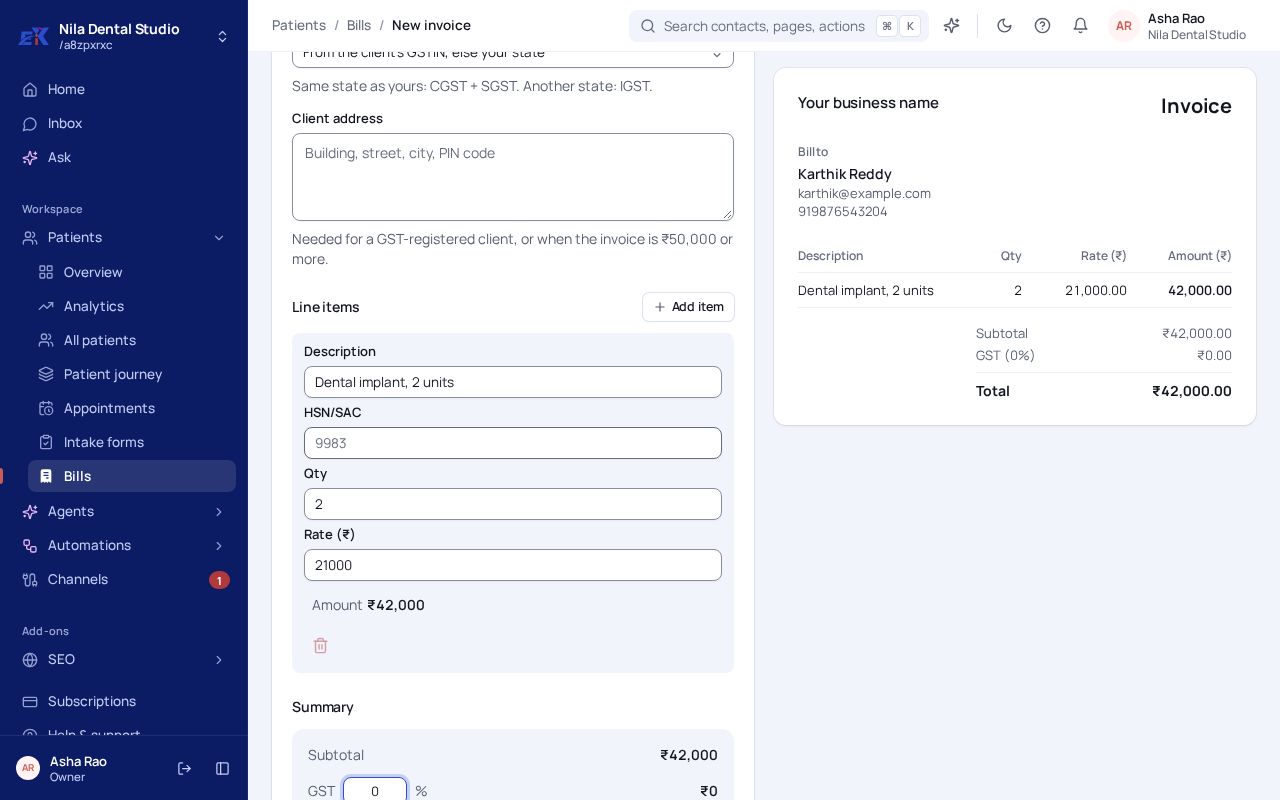
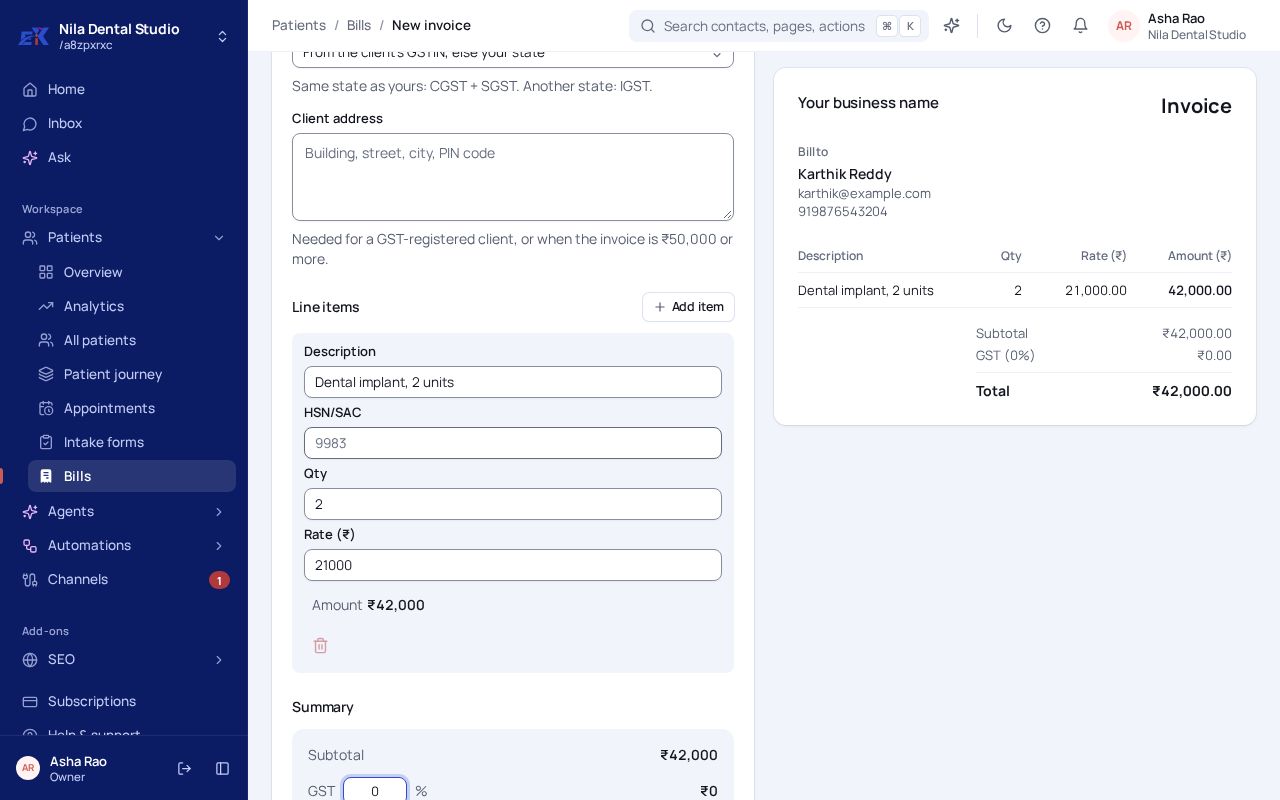
Step 2. Pick the Contact: their name, email and phone fill in for you. Add each item with a description, HSN/SAC code, quantity and rate, and set the GST rate that applies to you. The preview on the right updates as you type.
 (opens the full-size image)
Step 3. Pick a Due date and select Save draft.
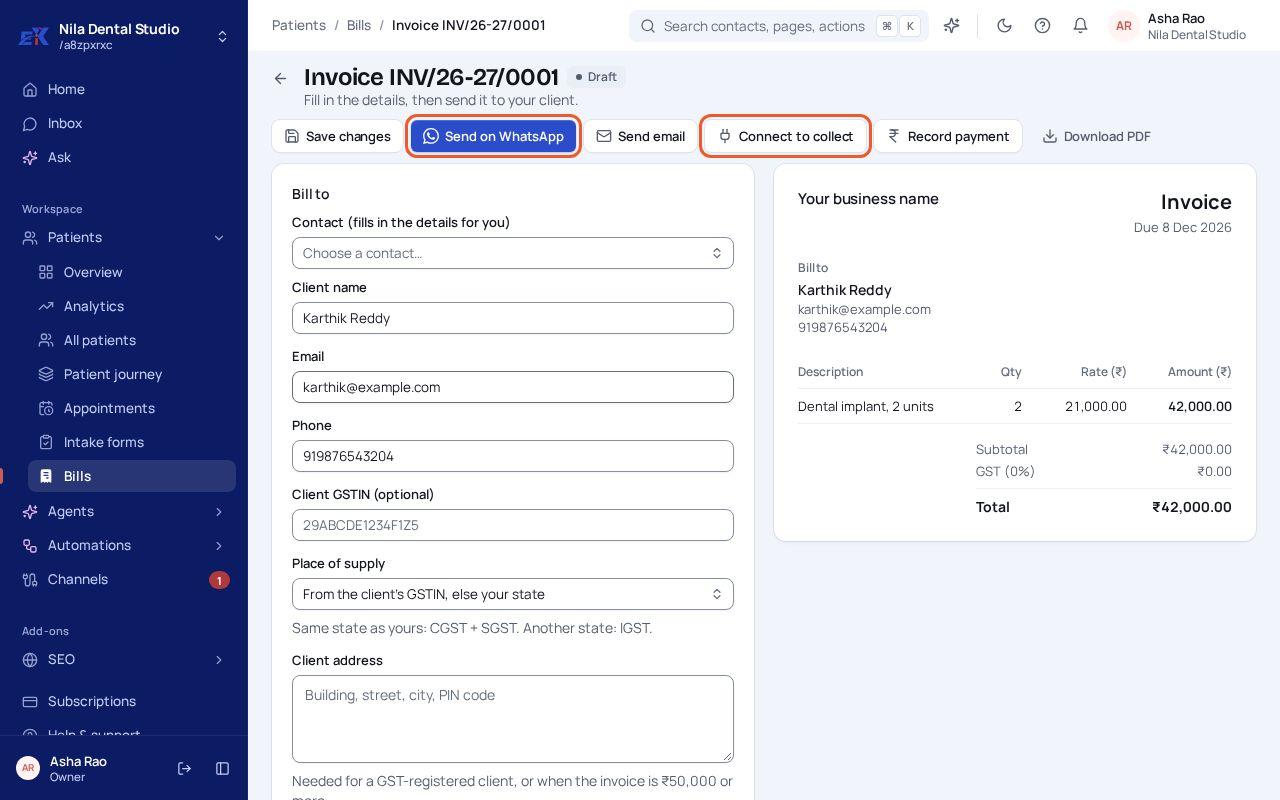
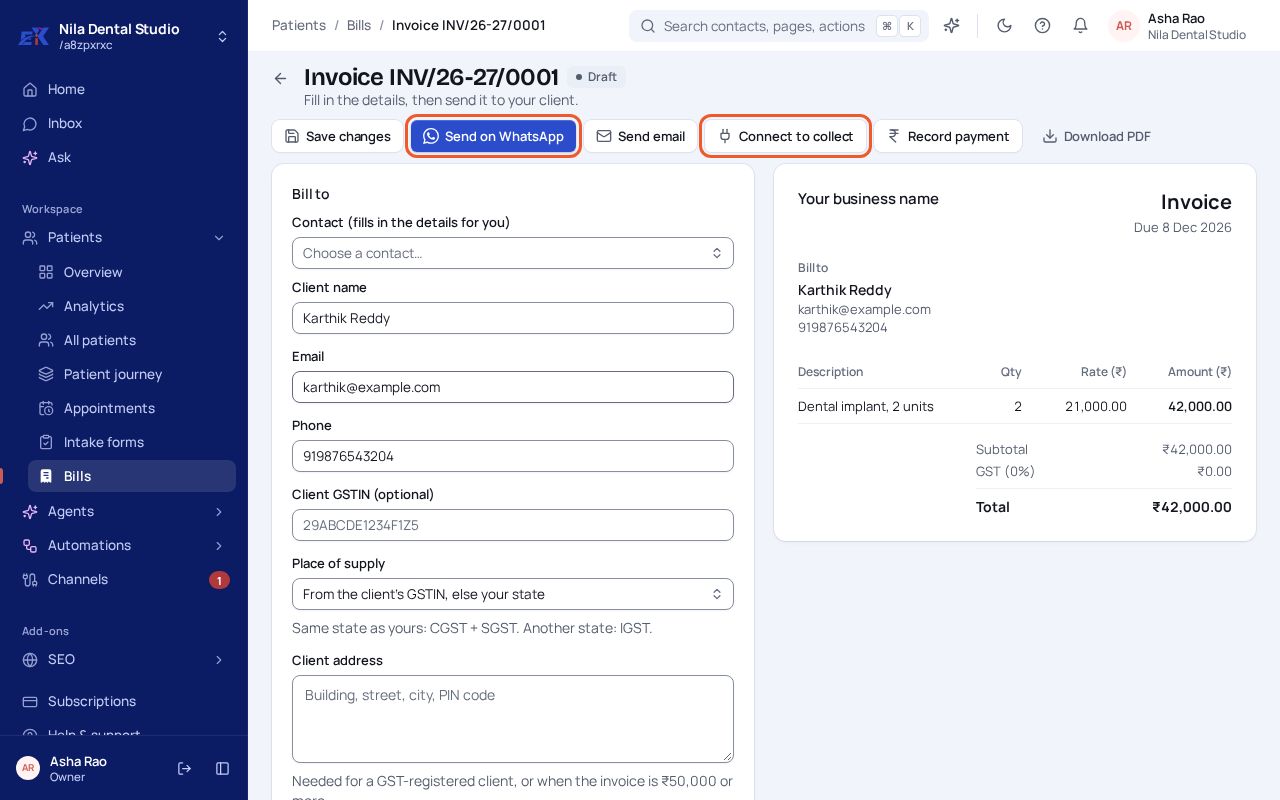
Step 4. On the saved invoice, select Send on WhatsApp or Send email. Select Connect to collect to add a payment link, or Record payment when they pay you another way.
 (opens the full-size image)
If something isn't right
The invoice says "Your business name".
Fill in Payments › Settings once: business name, address, GSTIN and logo.
Can a customer pay an old link after I change the invoice?
No. Changing an invoice's total cancels its old payment link.
Was this page helpful?